mirror of
https://github.com/awatson1978/meteor-api.git
synced 2026-05-15 14:15:54 -06:00

154 lines
5.6 KiB
Markdown
154 lines
5.6 KiB
Markdown
Meteor API for the Atom Editor
|
|
=======================================
|
|
|
|
Bring Isomorphic Meteor javascript to the editor with autocomplete, code snippets, color-coded grammar, syntax highlighting, and more! Code faster and with fewer mistakes!
|
|
|
|
THIS PACKAGE IS DEPRECATED. THE APM ACCOUNT IT WAS PUBLISHED UNDER WAS CORRUPTED DURING AN APM UPGRADE, AND I AM NO LONGER ABLE TO PUBLISH UPDATES. PLUS, I NO LONGER USE ATOM AS MY PRIMARY CODE EDITOR. FEEL FREE TO FORK AND MAINTAIN IT YOURSELF.
|
|
|
|
---------------------------------------
|
|
#### Meteor API Version
|
|
|
|
1.0.3.1
|
|
|
|
---------------------------------------
|
|
#### Installation
|
|
|
|
Simply go to **Atom > Preferences > Packages**, search for ``Meteor Api``, and install the package! Then just be sure to select ``Javascript (Meteor)`` as your grammar.
|
|
|
|

|
|
|
|
|
|
If you'd like to permanently make all javascript default to the ``Javascript (Meteor)`` grammar, disable the ``language-javascript`` package!
|
|
|
|
---------------------------------------
|
|
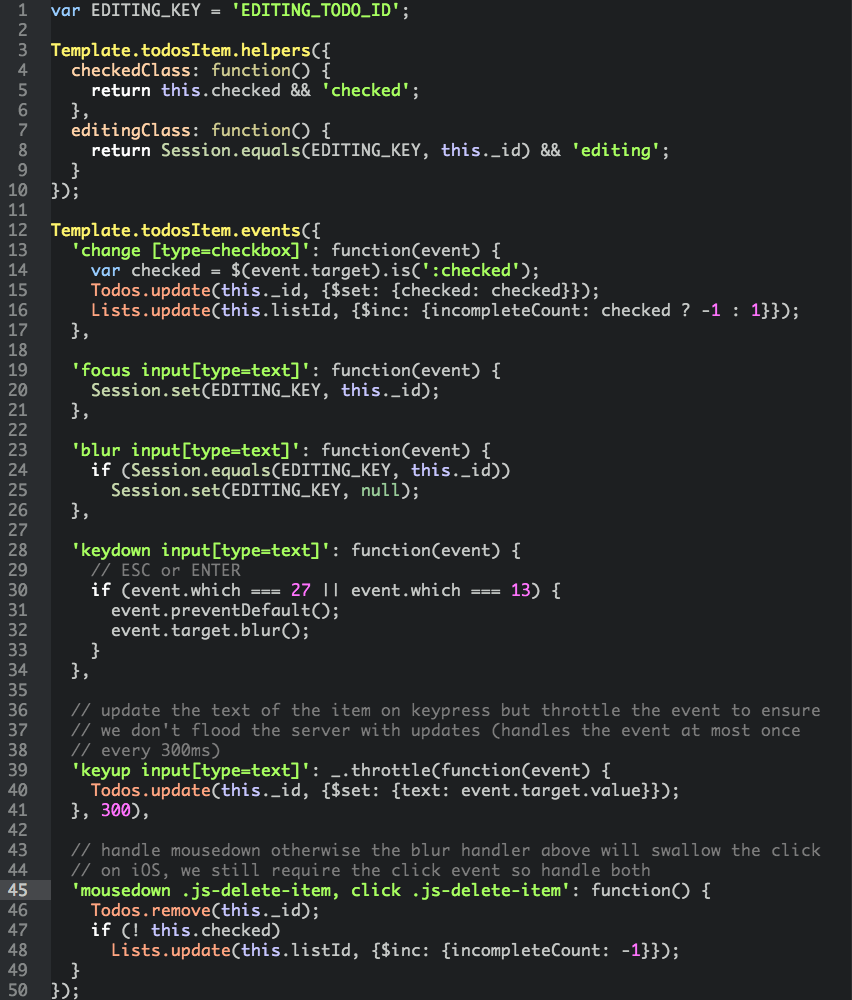
#### Color Coded Meteor Syntax
|
|
|
|
|
|
|
|
|
|
---------------------------------------
|
|
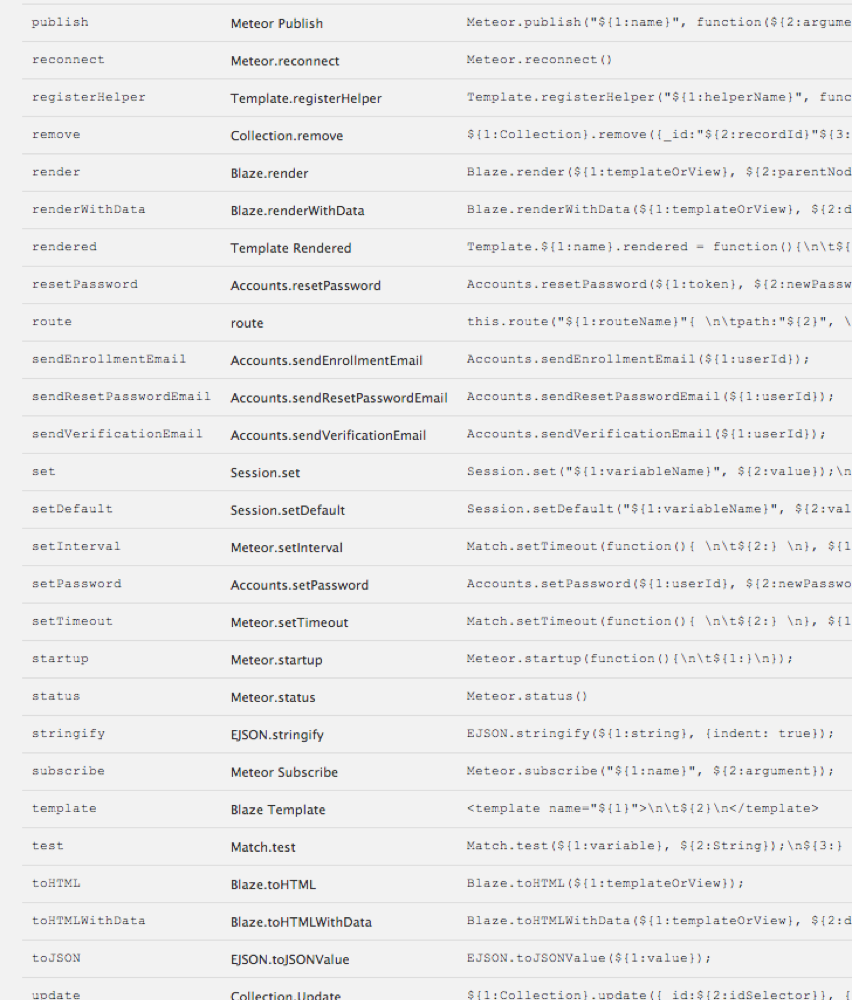
#### Meteor API Code Snippets
|
|
|
|
[Complete List of Covered Meteor API Syntax](https://github.com/awatson1978/meteor-api/blob/master/api.md)
|
|
|
|
|
|
|
|
|
|
|
|
---------------------------------------
|
|
#### Setting Up Atom As an Integrated Development Environment
|
|
|
|
If you want even more Meteor integration, try installing the following packages for an integrated, isomorphic, pure-javascript development environment.
|
|
|
|
````sh
|
|
atom-bootstrap3
|
|
atom-handlebars
|
|
color-picker
|
|
copy-filename
|
|
jsformat
|
|
language-html
|
|
language-spacebars
|
|
less-autocompile
|
|
line-count
|
|
linter
|
|
linter-eslint
|
|
linter-handlebars
|
|
merge-conflicts
|
|
meteor-api
|
|
meteor-helper
|
|
minimap
|
|
starrynight-helper
|
|
````
|
|
|
|
|
|
##### Enabling Handlebars Linting (a bit more hacky)
|
|
|
|
1. go to **Atom > Preferences > Packages**, search for ``linter-handlebars`` and install the package
|
|
2. after the instllation finished, click on the package ``linter-handlebars`` to open its settings page and click on ``View Code``
|
|
3. edit the file `linter-handlebars/lib/linter-handlebars-provider.coffee` and add `text.html.spacebars` to the list of supported grammars. At the time of writing this list appears on [line 7](https://github.com/AtomLinter/linter-handlebars/blob/v2.0.0/lib/linter-handlebars-provider.coffee#L7): make sure it eventually looks like:
|
|
|
|
````coffeescript
|
|
grammarScopes: ['text.html.handlebars', 'source.hbs', 'source.handlebars', 'text.html.spacebars']
|
|
````
|
|
|
|
Please be aware that you might need to repeat this editing operation everytime the package ``linter-handlebars`` gets updated.
|
|
|
|
---------------------------------------
|
|
#### Open Files From the Command Line
|
|
|
|
If you haven't created a symlink for atom, try the following snippet to launch Atom from the command line.
|
|
|
|
````sh
|
|
# link your atom binary so it can be run from the command line
|
|
sudo ln -s /Applications/Atom.app/Contents/MacOS/Atom /usr/local/bin/atom
|
|
|
|
# open a file
|
|
meteor create helloworld
|
|
cd helloworld
|
|
atom helloworld.js
|
|
````
|
|
---------------------------------------
|
|
#### Linting Tools
|
|
|
|
1. Install the ``eslint`` node package:
|
|
````sh
|
|
npm install -g eslint
|
|
````
|
|
|
|
2. Install the ``linter``, and ``linter-eslint`` atom packages from
|
|
|
|
````sh
|
|
apm install jsformat
|
|
apm install linter
|
|
apm install linter-eslint
|
|
````
|
|
|
|
3. Check that the packages are configured correctly. You might need to add ``/usr/local`` as your NPM prefix for ``linter-eslint``.
|
|
|
|
4. Copy over ``.eslintrc``to get started.
|
|
|
|
[.eslintrc](https://github.com/yauh/meteor-with-style/blob/master/.eslintrc)
|
|
|
|
|
|
|
|
|
|
---------------------------------------
|
|
#### Acknowledgements / Contributors
|
|
|
|
A big shoutout to ThusStyles for piecing together the original [meteor-snippets](https://github.com/ThusStyles/meteor-snippets) atom package! And to zaku-eu for [language-spacebars](https://atom.io/packages/language-spacebars)!
|
|
|
|
---------------------------------------
|
|
#### Hacking on the Package
|
|
|
|
Want to make modifications? Take a look at your ``~/.atom/packages`` directory. You should find ``~/.atom/packages/meteor-api``. Move that somewhere, and clone this repo where it used to be. (You'll want to fork it first to your own account.)
|
|
|
|
````sh
|
|
# download the meteor-api package to the correct location
|
|
cd ~/.atom/packages
|
|
mv meteor-api meteor-api-bkup
|
|
git clone http://github.com/damonmcminn/meteor-api
|
|
cd meteor-api
|
|
|
|
# make sure you're on a feature branch
|
|
git branch
|
|
git checkout -b syntax-highlighting
|
|
|
|
# open a new atom editor in the current directory
|
|
# we're using atom to hack on an atom package; spiffy recursive recursive!
|
|
atom .
|
|
````
|
|
You'll then want to go into the ``meteor-api/grammars/`` directory and start hacking on ``meteor-api-grammar-javascript.cson`` and the other files there.
|
|
|
|
The hotkey command to reload the packages into Atom is ``Control+Option+Command+L``.
|
|
|
|
|
|
---------------------------------------
|
|
#### Todo
|
|
|
|
- [x] [Blaze Syntax Highlighting](http://stackoverflow.com/questions/22363070/how-do-i-make-a-default-syntax-by-filetype-in-atom-text-editor)
|
|
- [x] [Handelbars/Spacebars Syntax](https://atom.io/packages/atom-handlebars)
|
|
- [ ] [Meteor Version of Autocomplete](https://atom.io/packages/autocomplete-plus)
|
|
- [ ] [Meteor Version of Extract Method](https://atom.io/packages/extract-method)
|
|
|
|
|
|
``ctags -R .`` for extracting method definitions; add ctags file to meteor projects
|