mirror of
https://github.com/awatson1978/meteor-api.git
synced 2026-05-15 22:02:11 -06:00

114 lines
4 KiB
Markdown
114 lines
4 KiB
Markdown
Meteor API for the Atom Editor
|
|
=======================================
|
|
|
|
Bring Isomorphic Meteor javascript to the editor with autocomplete, code snippets, color-coded grammar, syntax highlighting, and more! Code faster and with fewer mistakes!
|
|
|
|
---------------------------------------
|
|
#### Meteor API Version
|
|
|
|
0.9.3
|
|
|
|
---------------------------------------
|
|
#### Installation
|
|
|
|
Simply go to **Atom > Preferences > Packages**, search for ``Meteor Api``, and install the package! Then just be sure to select ``Javascript (Meteor)`` as your grammar.
|
|
|
|

|
|
|
|
|
|
---------------------------------------
|
|
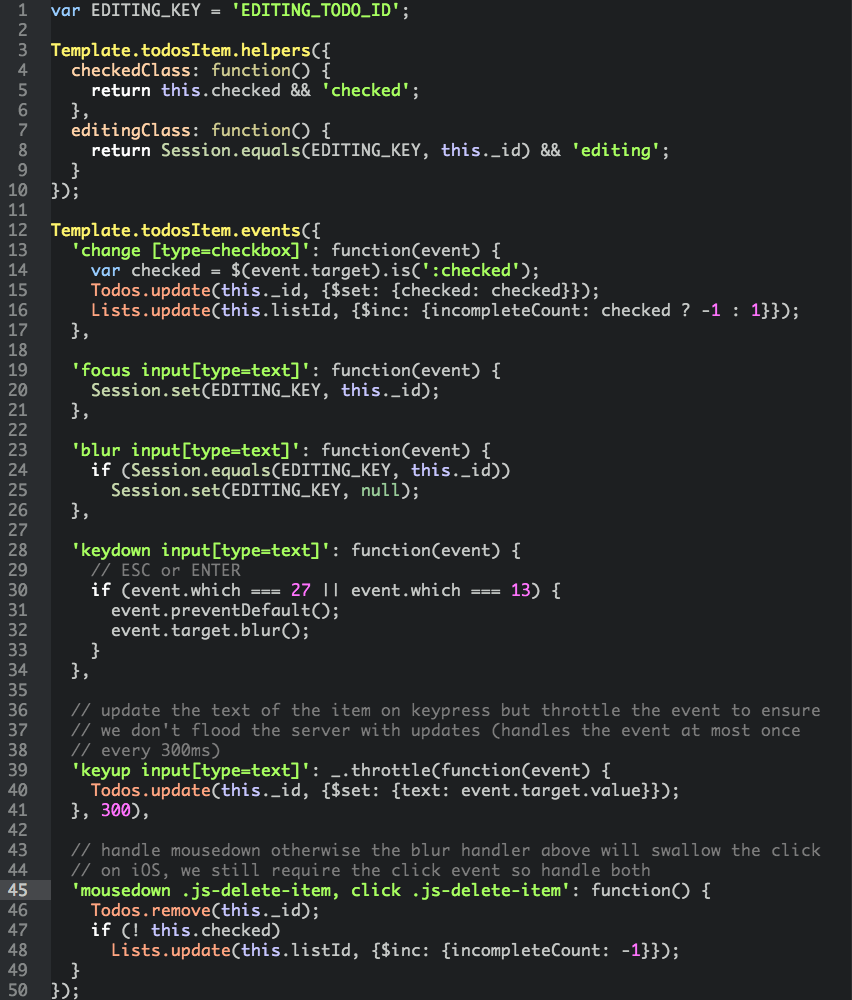
#### Color Coded Meteor Syntax
|
|
|
|
|
|
|
|
|
|
---------------------------------------
|
|
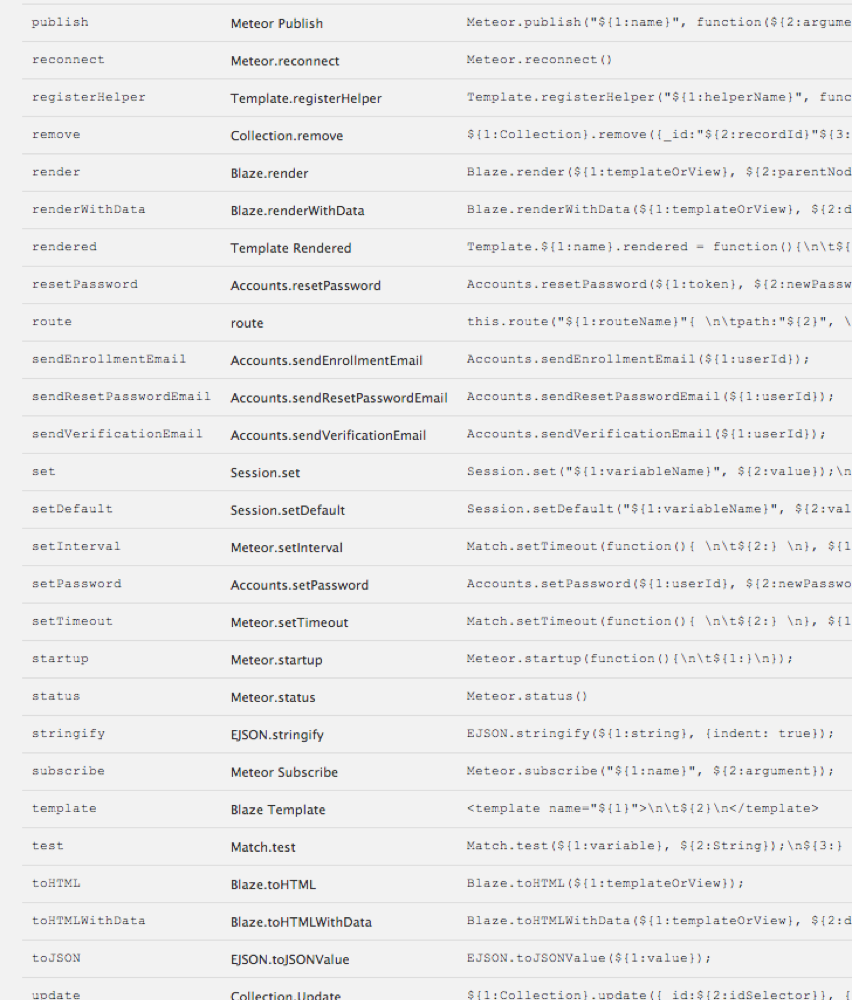
#### Meteor API Code Snippets
|
|
|
|
[Complete List of Covered Meteor API Syntax](https://github.com/awatson1978/meteor-api-for-atom-editor/blob/master/api.md)
|
|
|
|
|
|
|
|
|
|
|
|
---------------------------------------
|
|
#### Setting Up Atom As an Integrated Development Environment
|
|
|
|
If you want even more Meteor integration, try installing the following packages for an integrated, isomorphic, pure-javascript development environment. (This list will be updated as new packages are added to the Atom ecosystem).
|
|
|
|
````sh
|
|
Atom Lint
|
|
Atom Beautify
|
|
Atom Handlebars
|
|
Atom Jshint
|
|
Atom Prettify
|
|
Angularjs
|
|
Atom Angular
|
|
Atom Bootstrap
|
|
Autocomplete
|
|
Autocomplete +
|
|
Bracket Matcher
|
|
File Types
|
|
Filetype Color
|
|
Grammar Selector
|
|
Language Spacebars
|
|
Meteor Api
|
|
Meteor Helper
|
|
Orbit
|
|
Wrap Guide
|
|
````
|
|
|
|
Then open your `config.cson` file with **Atom > Edit > Open Your Config** and add the following under `global`:
|
|
|
|
````cson
|
|
'file-types':
|
|
'html': 'text.html.spacebars'
|
|
'js': 'source.js'
|
|
````
|
|
|
|
##### Enabling Handlebars Linting (a bit more hacky)
|
|
|
|
1. go to **Atom > Preferences > Packages**, search for ``Linter Handlebars`` and install the package
|
|
2. click on `Settings` to open its settings page and click on ``Open in Atom``
|
|
3. edit the file `linter-handlebars/lib/linter-handlebars.cofee` and add `text.html.spacebars` to the list of supported syntaxes. At the time of writing this list appears on [line 7](https://github.com/AtomLinter/linter-handlebars/blob/master/lib/linter-handlebars.coffee#L7): make sure it eventually looks like:
|
|
|
|
````coffeescript
|
|
@syntax: ['text.html.handlebars', 'source.hbs', 'source.handlebars', 'text.html.spacebars']
|
|
````
|
|
|
|
Please be aware that you might need to repeat this editing operation everytime the package ``Linter Handlebars`` gets updated.
|
|
|
|
---------------------------------------
|
|
#### Open Files From the Command Line
|
|
|
|
If you haven't created a symlink for atom, try the following snippet to launch Atom from the command line.
|
|
|
|
````sh
|
|
# link your atom binary so it can be run from the command line
|
|
sudo ln -s /Applications/Atom.app/Contents/MacOS/Atom /usr/local/bin/atom
|
|
|
|
# open a file
|
|
meteor create helloworld
|
|
cd helloworld
|
|
atom helloworld.js
|
|
````
|
|
|
|
|
|
---------------------------------------
|
|
#### Acknowledgements / Contributors
|
|
|
|
A big shoutout to ThusStyles for piecing together the original [meteor-snippets](https://github.com/ThusStyles/meteor-snippets) atom package!
|
|
|
|
|
|
---------------------------------------
|
|
#### Todo
|
|
|
|
[Blaze Syntax Highlighting](http://stackoverflow.com/questions/22363070/how-do-i-make-a-default-syntax-by-filetype-in-atom-text-editor)
|
|
[Handelbars/Spacebars Syntax](https://atom.io/packages/atom-handlebars)
|
|
[Meteor Version of Autocomplete](https://atom.io/packages/autocomplete-plus)
|
|
[Meteor Version of Extract Method](https://atom.io/packages/extract-method)
|
|
[Meteor Symbols](https://github.com/atom/symbols-view)
|
|
[Meteor Symbols: Goto Declaration](https://github.com/atom/symbols-view/issues/9)
|
|
|
|
|
|
``ctags -R .`` for extracting method definitions; add ctags file to meteor projects
|