mirror of
https://github.com/XuehaiPan/nvitop.git
synced 2026-10-05 22:05:07 -06:00
An interactive NVIDIA-GPU process viewer and beyond, the one-stop solution for GPU process management.
command-line-tool
console
cuda
curses
gpu
gpu-monitoring
grafana
grafana-dashboard
htop
monitoring
monitoring-tool
nvidia
nvidia-smi
nvml
process-monitoring
prometheus
prometheus-exporter
resource-monitor
top
- Python 96.8%
- Shell 2.9%
- Dockerfile 0.3%
| Filename | Latest commit message | Latest commit date |
|---|---|---|
| nvhtop | ||
| .gitignore | ||
| LICENSE | ||
| MANIFEST.in | ||
| nvhtop.py | ||
| README.md | ||
| requirements.txt | ||
| setup.cfg | ||
| setup.py | ||

nvhtop
An interactive Nvidia-GPU process viewer. (Under progress)
Requirements
- Python 3.5+
- curses
- nvidia-ml-py
- psutil
- cachetools
- termcolor
Installation
From GitHub:
$ pip install git+https://github.com/XuehaiPan/nvhtop.git#egg=nvhtop
Or, download and pip install:
$ git clone --depth=1 https://github.com/XuehaiPan/nvhtop.git
$ cd nvhtop
$ pip install .
Usage
Query the device status. The output is similar to nvidia-smi, but has been enriched and colorized.
$ nvhtop
Run as a resource monitor, like htop:
# Automatically configure the display mode according to the terminal size
$ nvhtop --monitor
$ nvhtop --monitor auto

# Forcibly display as `full` mode
$ nvhtop --monitor full

# Forcibly display as `compact` mode
$ nvhtop --monitor compact
Press q to return to the terminal.
Type nvhtop --help for more information:
usage: nvhtop [-h] [-m [{auto,full,compact}]]

A interactive Nvidia-GPU process viewer.

optional arguments:
  -h, --help        show this help message and exit
  -m [{auto,full,compact}], --monitor [{auto,full,compact}]
                    Run as a resource monitor. Continuously report query data,
                    rather than the default of just once.
                    If no argument is specified, the default mode `auto` is used.
Screenshots
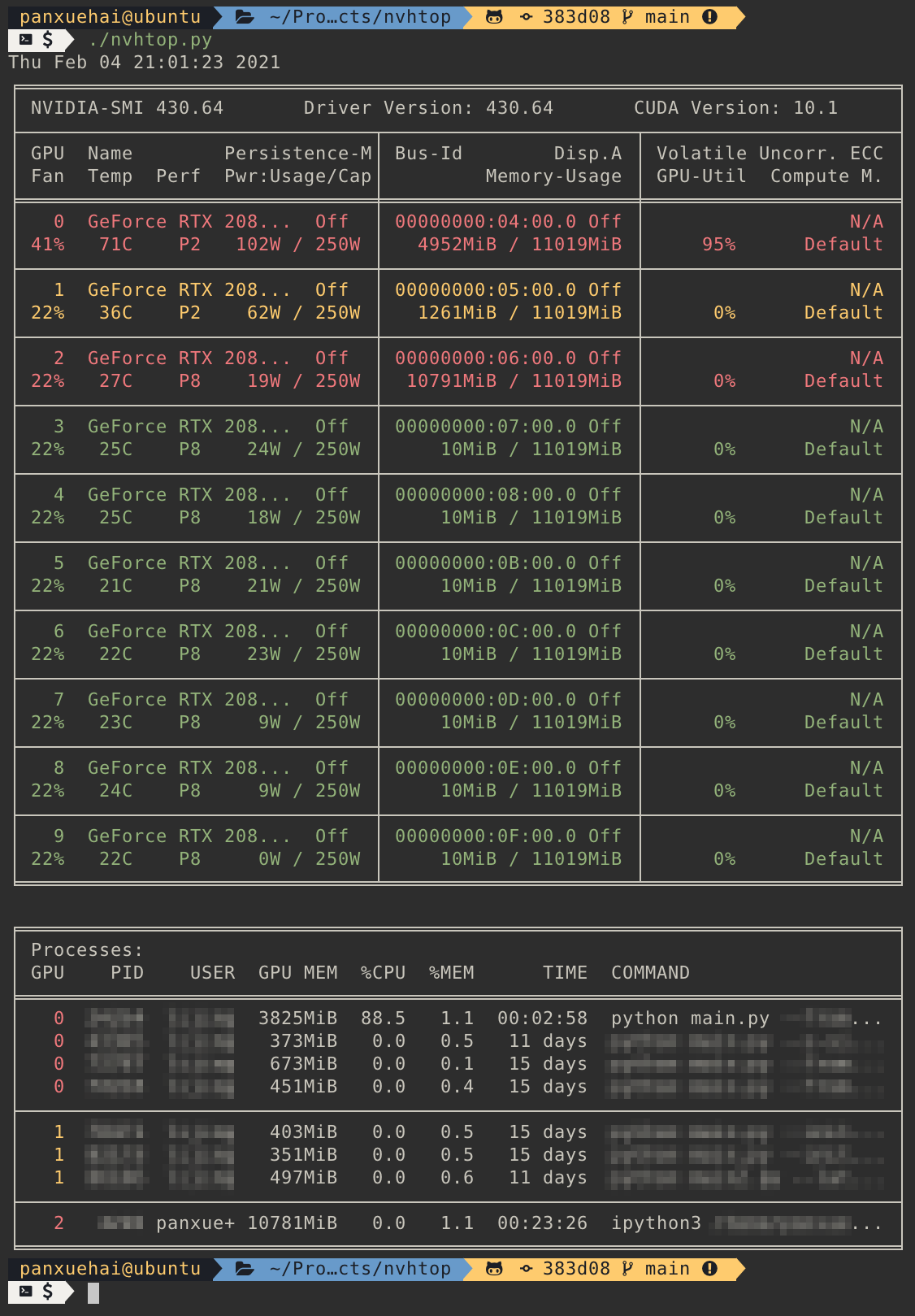
Example output of nvhtop:
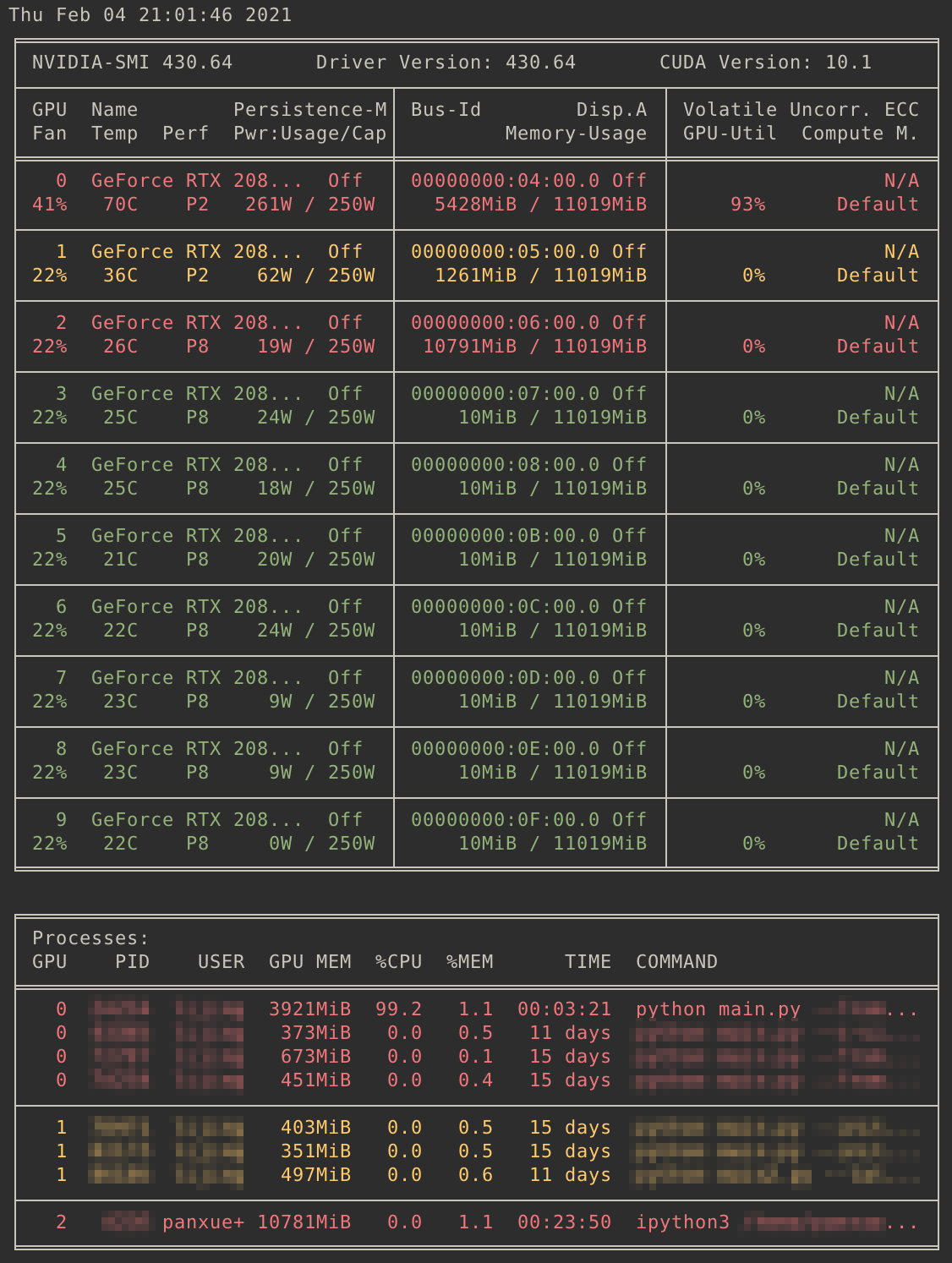
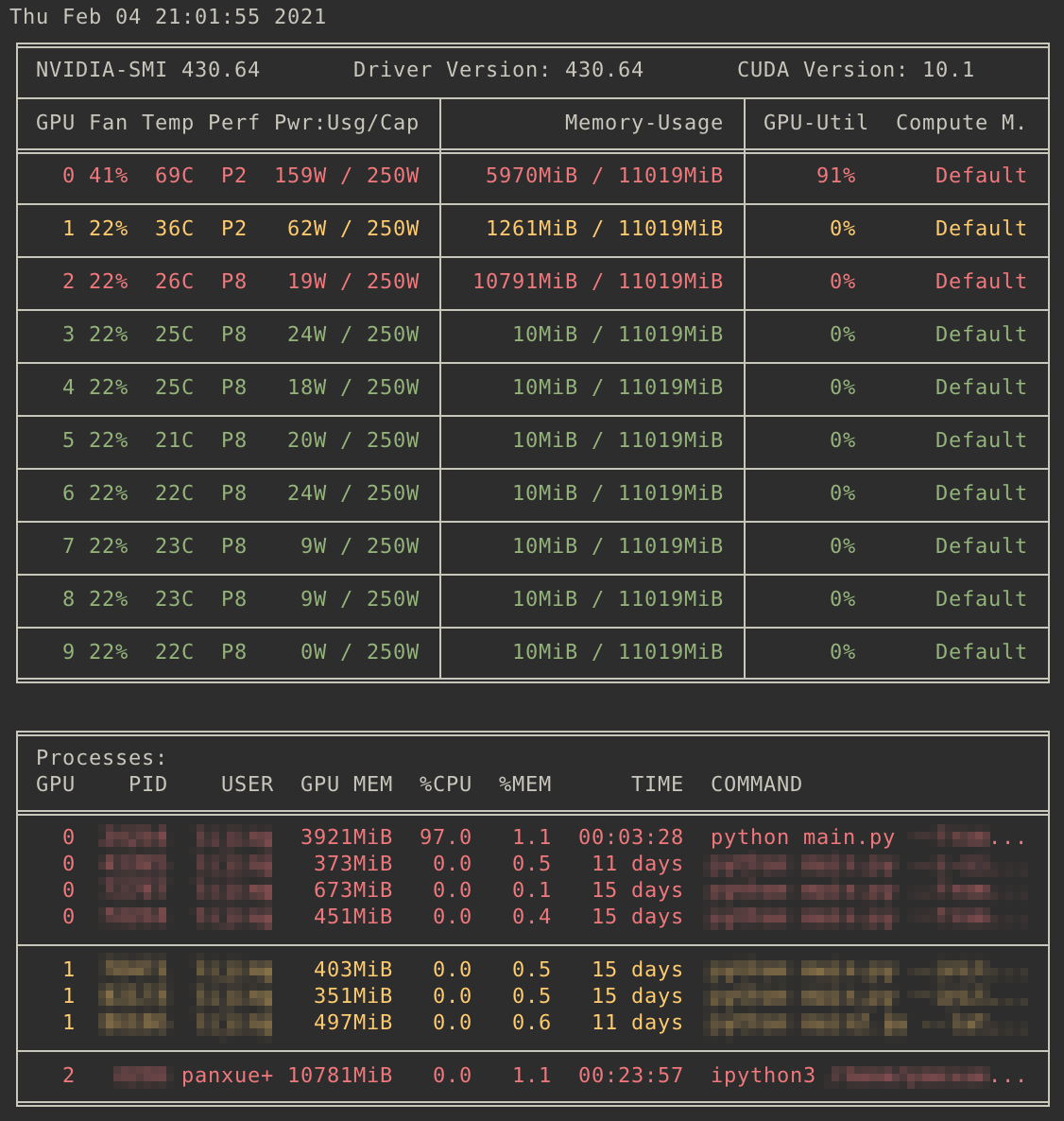
Example output of nvhtop --monitor:
| Full | Compact |
|
|