| grammars | ||
| screenshots | ||
| snippets | ||
| stylesheets | ||
| .gitignore | ||
| LICENSE.md | ||
| package.json | ||
| README.md | ||

Meteor API for the Atom Editor
Bring Isomorphic Meteor javascript to the editor with autocomplete, code snippets, color-coded grammar, syntax highlighting, and more! Code faster and with fewer mistakes!
Meteor API Version
0.9.3
Installation
Simply go to Atom > Preferences > Packages, search for Meteor Api, and install the package! Then just be sure to select Javascript (Meteor) as your grammar.

Color Coded Meteor Syntax
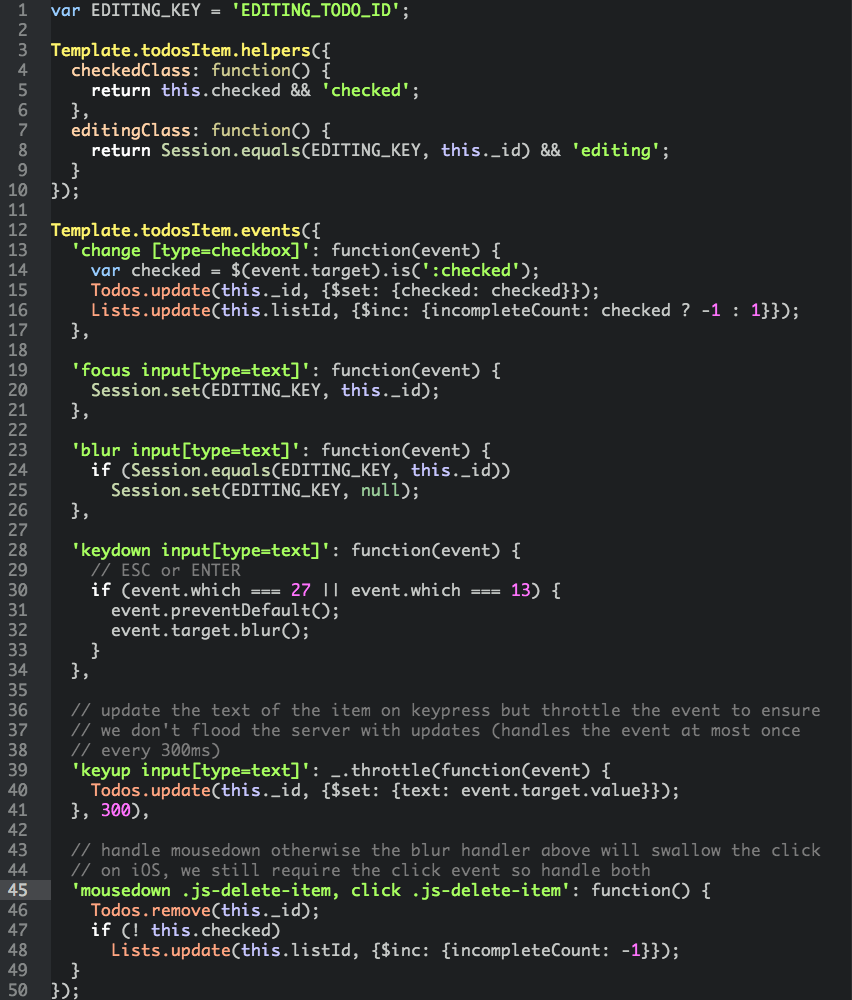
Meteor API Code Snippets
Complete List of Covered Meteor API Syntax
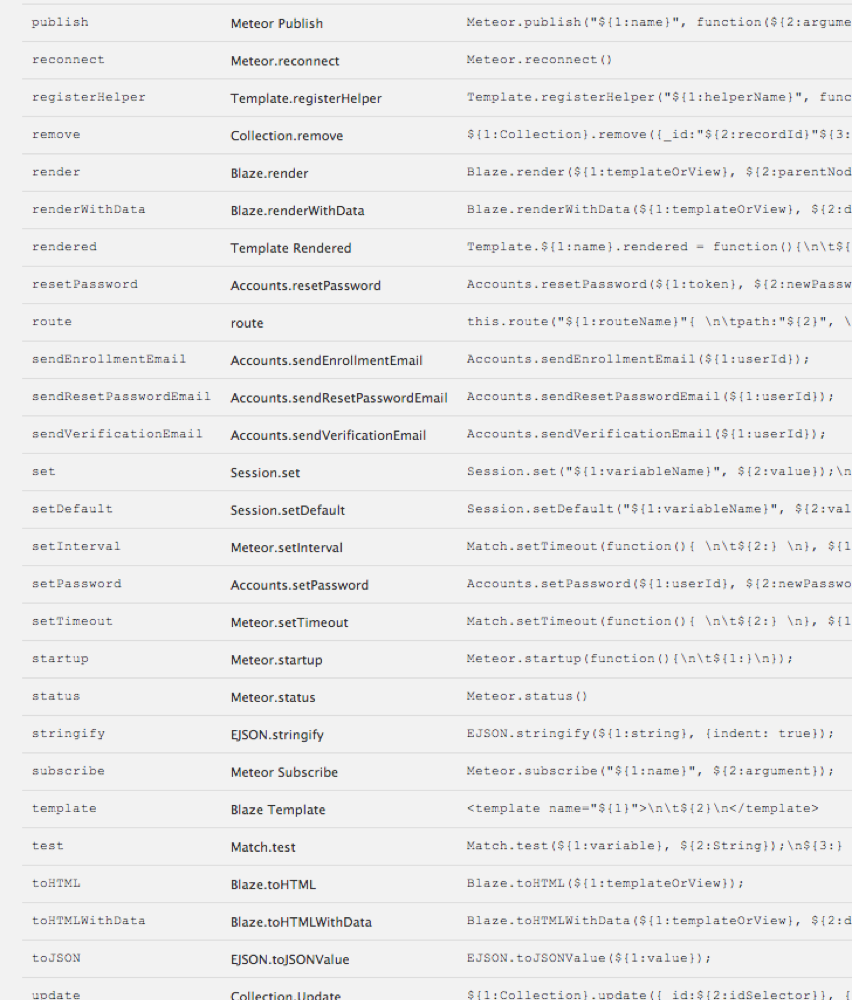
Setting Up Atom As an Integrated Development Environment
If you want even more Meteor integration, try installing the following packages for an integrated, isomorphic, pure-javascript development environment. (This list will be updated as new packages are added to the Atom ecosystem).
Atom Lint
Atom Beautify
Atom Handlebars
Atom Jshint
Atom Prettify
Angularjs
Atom Angular
Atom Bootstrap
Autocomplete
Autocomplete +
Bracket Matcher
File Types
Filetype Color
Grammar Selector
Language Spacebars
Meteor Api
Meteor Helper
Orbit
Wrap Guide
Then open your config.cson file with Atom > Edit > Open Your Config and add the following under global:
  'file-types':
    'html': 'text.html.spacebars'
    'js': 'source.js'
Enabling Handlebars Linting (a bit more hacky)
- go to Atom > Preferences > Packages, search for
Linter Handlebarsand install the package - click on
Settingsto open its settings page and click onOpen in Atom - edit the file
linter-handlebars/lib/linter-handlebars.cofeeand addtext.html.spacebarsto the list of supported syntaxes. At the time of writing this list appears on line 7: make sure it eventually looks like:
@syntax: ['text.html.handlebars', 'source.hbs', 'source.handlebars', 'text.html.spacebars']
Please be aware that you might need to repeat this editing operation everytime the package Linter Handlebars gets updated.
Open Files From the Command Line
If you haven't created a symlink for atom, try the following snippet to launch Atom from the command line.
# link your atom binary so it can be run from the command line
sudo ln -s /Applications/Atom.app/Contents/MacOS/Atom /usr/local/bin/atom

# open a file
meteor create helloworld
cd helloworld
atom helloworld.js
Acknowledgements / Contributors
A big shoutout to ThusStyles for piecing together the original meteor-snippets atom package!
Todo
Blaze Syntax Highlighting
Handelbars/Spacebars Syntax
Meteor Version of Autocomplete
Meteor Version of Extract Method
Meteor Symbols
Meteor Symbols: Goto Declaration
ctags -R . for extracting method definitions; add ctags file to meteor projects