mirror of
https://github.com/keycastr/keycastr.git
synced 2026-10-23 08:07:30 -06:00
[GH-ISSUE #129] Seems Mojave broke the app #106
Labels
No labels
bug
compatibility
discussion
documentation
enhancement
help wanted
help wanted
investigation needed
pull-request
release
visualizer
No milestone
No project
No assignees
1 participant

Notifications
Due date
No due date set.
Dependencies
No dependencies set
Reference
github-starred/keycastr#106
Loading…
Reference in a new issue
No description provided.
Delete branch "%!s()"
Deleting a branch is permanent. Although the deleted branch may continue to exist for a short time before it actually gets removed, it CANNOT be undone in most cases. Continue?
Originally created by @dimitrisfasoulas on GitHub (Nov 30, 2018).
Original GitHub issue: https://github.com/keycastr/keycastr/issues/129
This is the first time I try this app so it might be something else that is causing this to fail.
I'm trying to open the app on a MacBook Pro (Retina, 15-inch, Mid 2015) with Mojave installed and 2 extra screens connected.
I installed the app with brew
After I add the app to Preferences -> Security & Privacy -> Accessibility I try to run the app and I get the following screen:
If after this I go again to Preferences -> Security & Privacy -> Accessibility the list is empty (although I had other apps there as well) and I can not add apps (I press the + sign I go through the motions of adding an app but nothing appears).
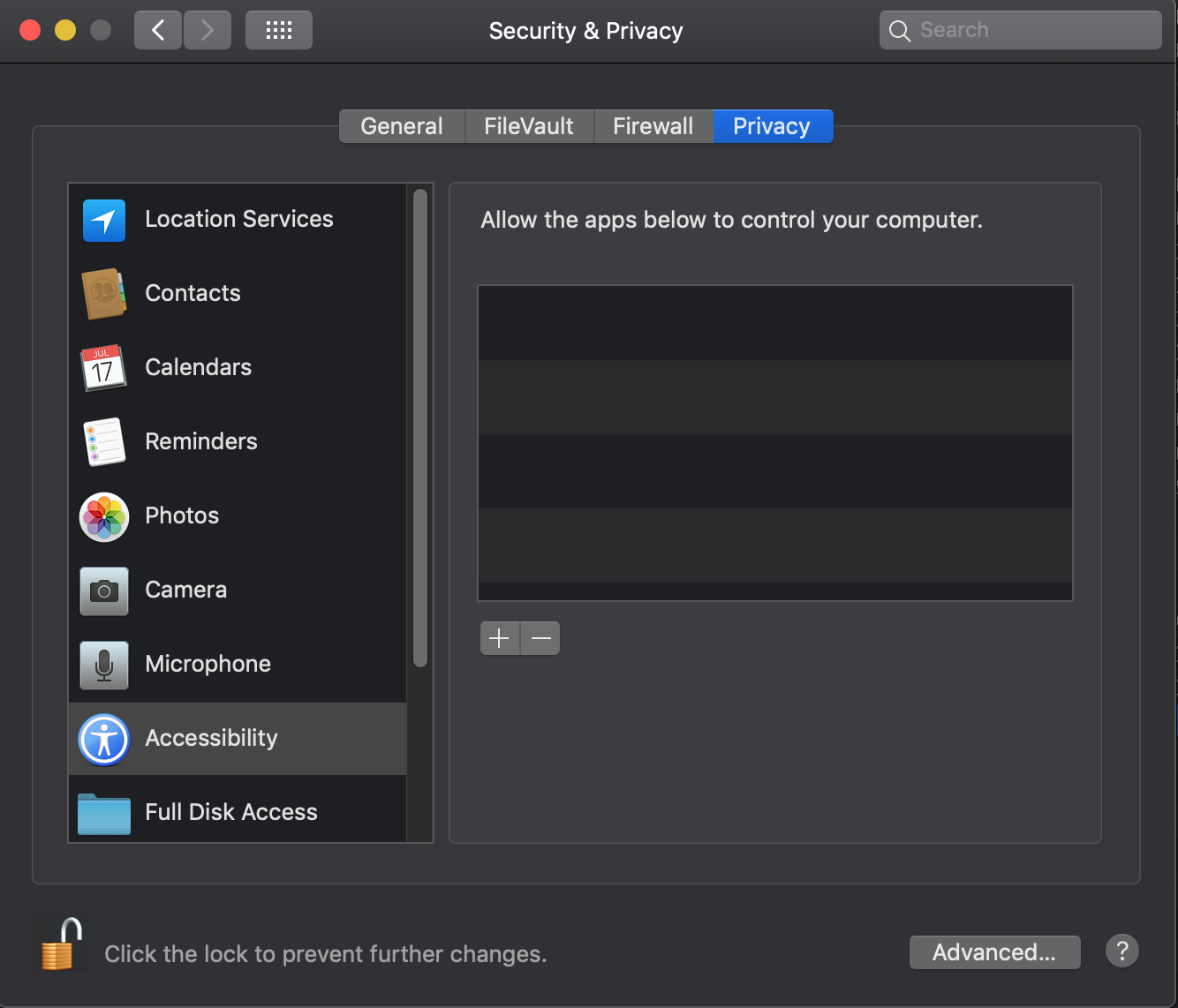
A reboot will fix the pane but if I try again I get the same results.
If you generate logs anywhere, let me know and I grab them.
@NicholasTD07 commented on GitHub (Dec 19, 2018):
For anyone following this thread, I have a half-assed fix but it works.
Add the following
to KCKeyboardTap.m, in this method
-(BOOL) installTapWithError:(NSError **)error {.So it looks like this
@XinyuYe commented on GitHub (Jan 12, 2019):
You can add it manually by clicking the small "+" button in the accessibility.
@akitchen commented on GitHub (Jan 13, 2019):
I always drag it into the list after clicking +, as mentioned above.
just verified this works fine on a fresh install of Mojave. closing...