[GH-ISSUE #789] 为什么HTTP有连接但显示没有网页?? #615

Closed
opened 2026-05-05 12:23:59 -06:00 by gitea-mirror · 4 comments
Owner

Originally created by @laoxu99 on GitHub (May 21, 2018).
Original GitHub issue: https://github.com/fatedier/frp/issues/789

Issue is only used for submiting bug report and documents typo. If there are same issues or answers can be found in documents, we will close it directly.
(为了节约时间,提高处理问题的效率,不按照格式填写的 issue 将会直接关闭。)

Use the commands below to provide key information from your environment:
You do NOT have to include this information if this is a FEATURE REQUEST

What version of frp are you using (./frpc -v or ./frps -v)?
服务器frps版本0.19.0
客户端frpc版本0.19.0

What operating system and processor architecture are you using (go env)?
服务器版本frps版本为亚马逊AWS上部署的ubuntu x64 EC2实例
客户端版本frpc版本为linux。
Configures you used:
客户端配置:
【common】
server_addr =18...49
server_port=7000
auto_token=xu*****678

[ssh]
type = tcp
local_ip =192.168.1.200
local_port=22
remote_port=6000

[nas]
type=http
local_ip = 192.168.1.200
local_port=5000
custom_domains = nas

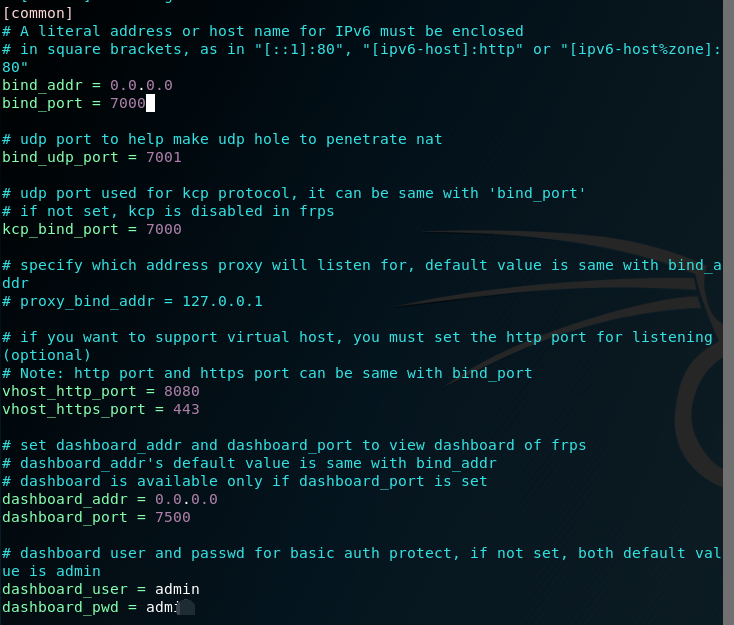
服务器端配置
image

image

Steps to reproduce the issue:
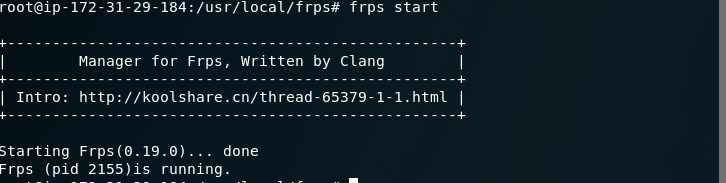
1.运行FRPS端,结果如下:
image

2.运行FRPC客户端,结果如下:
image

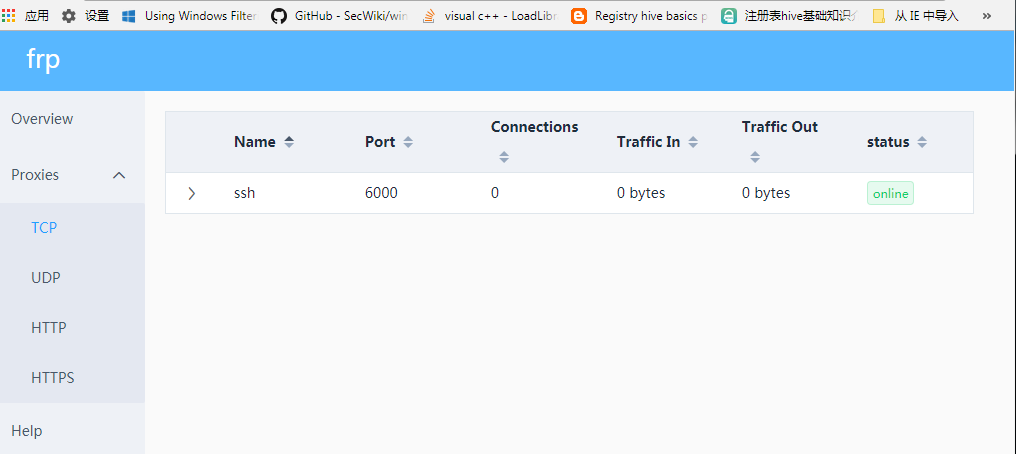
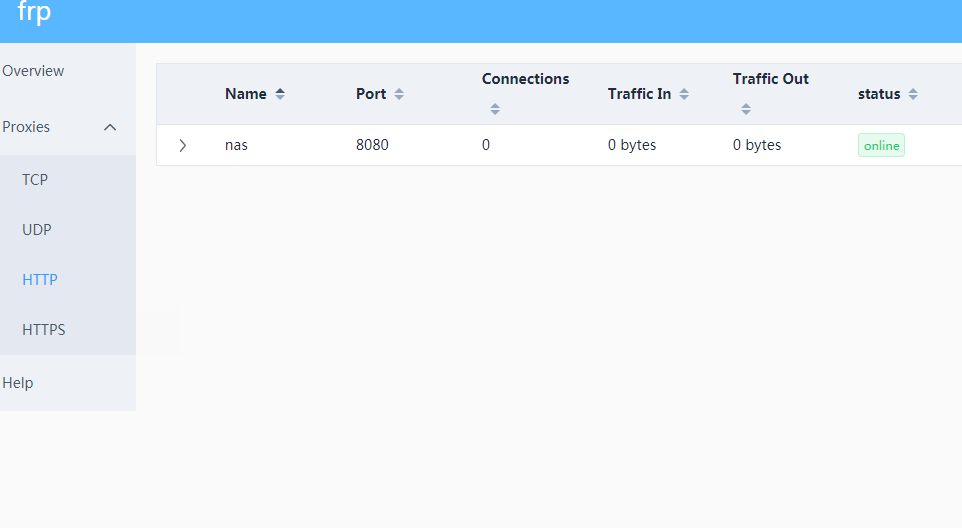
3.查看frps服务器的7500管理端口

看到的SSH的反向连接:
image
看到了HTTP反向连接
image

Describe the results you received:
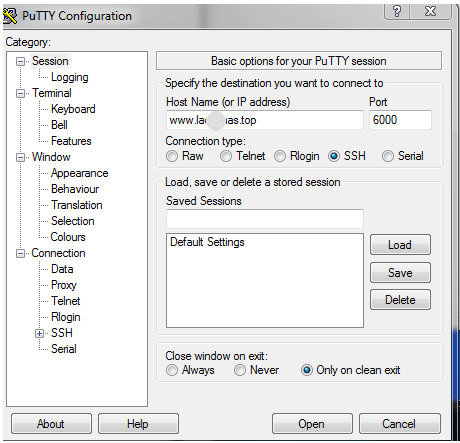
连接上SSH反射端口:
image

15

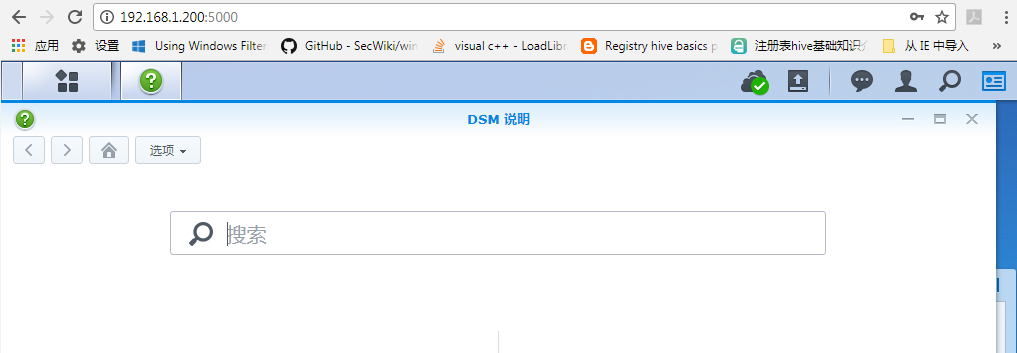
但输入192.168.1.200:5000能正常访问HTTP页面,如下:
image
但输入nas.lao*****s.top:8080,却提示找不到页面,如下图:

16

Describe the results you expected:
有HTTP的反射端口,但无法访问页面,这种情况应该怎么办?求指教。谢谢。

Additional information you deem important (e.g. issue happens only occasionally):

Can you point out what caused this issue (optional)

Originally created by @laoxu99 on GitHub (May 21, 2018). Original GitHub issue: https://github.com/fatedier/frp/issues/789 Issue is only used for submiting bug report and documents typo. If there are same issues or answers can be found in documents, we will close it directly. (为了节约时间,提高处理问题的效率,不按照格式填写的 issue 将会直接关闭。) Use the commands below to provide key information from your environment: You do NOT have to include this information if this is a FEATURE REQUEST **What version of frp are you using (./frpc -v or ./frps -v)?** 服务器frps版本0.19.0 客户端frpc版本0.19.0 **What operating system and processor architecture are you using (`go env`)?** 服务器版本frps版本为亚马逊AWS上部署的ubuntu x64 EC2实例 客户端版本frpc版本为linux。 **Configures you used:** 客户端配置: 【common】 server_addr =18.*.*.49 server_port=7000 auto_token=xu*****678 [ssh] type = tcp local_ip =192.168.1.200 local_port=22 remote_port=6000 [nas] type=http local_ip = 192.168.1.200 local_port=5000 custom_domains = nas 服务器端配置 ![image](https://user-images.githubusercontent.com/30776463/40314137-2f5255f6-5d4a-11e8-8b1e-c7630bd50c1a.png) ![image](https://user-images.githubusercontent.com/30776463/40314195-5d924688-5d4a-11e8-8b52-9d06be9aec4a.png) **Steps to reproduce the issue:** 1.运行FRPS端,结果如下: ![image](https://user-images.githubusercontent.com/30776463/40308586-509fec2a-5d39-11e8-86af-024eb4b4a46a.png) 2.运行FRPC客户端,结果如下: ![image](https://user-images.githubusercontent.com/30776463/40308717-b4a2cfc6-5d39-11e8-9569-b480b49ec715.png) 3.查看frps服务器的7500管理端口 看到的SSH的反向连接: ![image](https://user-images.githubusercontent.com/30776463/40308823-0a68d964-5d3a-11e8-91d7-e545329dc7f1.png) 看到了HTTP反向连接 ![image](https://user-images.githubusercontent.com/30776463/40308846-16c10484-5d3a-11e8-8bda-4d1854cb5ab6.png) **Describe the results you received:** 连接上SSH反射端口: ![image](https://user-images.githubusercontent.com/30776463/40314423-086d4bf2-5d4b-11e8-980b-d35402cb38be.png) ![15](https://user-images.githubusercontent.com/30776463/40314737-f8770a98-5d4b-11e8-84da-418549311aca.png) 但输入192.168.1.200:5000能正常访问HTTP页面,如下: ![image](https://user-images.githubusercontent.com/30776463/40309023-b1051a62-5d3a-11e8-8a99-dee359bf6a3d.png) 但输入nas.lao*****s.top:8080,却提示找不到页面,如下图: ![16](https://user-images.githubusercontent.com/30776463/40314867-63f4edbc-5d4c-11e8-9cb5-2d6e3679f9ae.png) **Describe the results you expected:** 有HTTP的反射端口,但无法访问页面,这种情况应该怎么办?求指教。谢谢。 **Additional information you deem important (e.g. issue happens only occasionally):** **Can you point out what caused this issue (optional)**
Author
Owner

@fatedier commented on GitHub (May 22, 2018):

通过自定义域名访问部署于内网的 web 服务

看文档和参考现有的配置文件,你的域名相关的配置可能有问题。

<!-- gh-comment-id:391050623 --> @fatedier commented on GitHub (May 22, 2018): [通过自定义域名访问部署于内网的 web 服务](https://github.com/fatedier/frp/blob/master/README_zh.md#%E9%80%9A%E8%BF%87%E8%87%AA%E5%AE%9A%E4%B9%89%E5%9F%9F%E5%90%8D%E8%AE%BF%E9%97%AE%E9%83%A8%E7%BD%B2%E4%BA%8E%E5%86%85%E7%BD%91%E7%9A%84-web-%E6%9C%8D%E5%8A%A1) 看文档和参考现有的配置文件,你的域名相关的配置可能有问题。
Author
Owner

@zzyandzzy commented on GitHub (May 25, 2018):

你可以试试在你的服务器访问nas.lao*****s.top:8080

<!-- gh-comment-id:392052822 --> @zzyandzzy commented on GitHub (May 25, 2018): 你可以试试在你的服务器访问nas.lao*****s.top:8080
Author
Owner

@xiaoyell commented on GitHub (May 27, 2018):

custom_domains = nas
配置错误了,此处应该为完整域名

<!-- gh-comment-id:392297433 --> @xiaoyell commented on GitHub (May 27, 2018): custom_domains = nas 配置错误了,此处应该为完整域名
Author
Owner

@laoxu99 commented on GitHub (May 27, 2018):

搞定了,感谢大神的提醒,还是我没有仔细看官方文档的缘故。在FRPS端设置subdomain_host=laos.top后,在frpc端,web设置只要这么几句就可以:
type = http
local_port= 5000
subdomain = nas
这样,我只输入nas.lao
s.top:8080,就能轻松访问了。也就是说,frpc端的subdomain是frps端的subdomain_host的前缀部分

<!-- gh-comment-id:392338927 --> @laoxu99 commented on GitHub (May 27, 2018): 搞定了,感谢大神的提醒,还是我没有仔细看官方文档的缘故。在FRPS端设置subdomain_host=lao****s.top后,在frpc端,web设置只要这么几句就可以: type = http local_port= 5000 subdomain = nas 这样,我只输入nas.lao****s.top:8080,就能轻松访问了。也就是说,frpc端的subdomain是frps端的subdomain_host的前缀部分
Sign in to join this conversation.
No milestone
No project
No assignees
1 participant
Notifications
Due date
The due date is invalid or out of range. Please use the format "yyyy-mm-dd".

No due date set.

Dependencies

No dependencies set.

Reference: github-starred/frp#615
No description provided.