mirror of
https://github.com/debauchee/barrier.git
synced 2026-10-23 08:07:53 -06:00
[GH-ISSUE #1147] Barrier connects but cursor does not move to remote screen (openSUSE Tumbleweed - GNOME 40) #922
Labels
No labels
HiDPI
bounty
bsd/freebsd
bsd/openbsd
bug
bug
build-infra
cantfix
critical
doc
duplicate
enhancement
fix-available
from git
from release
good first issue
help wanted
installer/package
invalid
linux
macOS
meta
needs testing
pull-request
query
question
regression
regression
v2.4.0
windows
wontfix
work-in-progress
No milestone
No project
No assignees
1 participant

Notifications
Due date
No due date set.
Dependencies
No dependencies set
Reference
github-starred/barrier#922
Loading…
Reference in a new issue
No description provided.
Delete branch "%!s()"
Deleting a branch is permanent. Although the deleted branch may continue to exist for a short time before it actually gets removed, it CANNOT be undone in most cases. Continue?
Originally created by @Velofil on GitHub (Apr 27, 2021).
Original GitHub issue: https://github.com/debauchee/barrier/issues/1147
Hello,
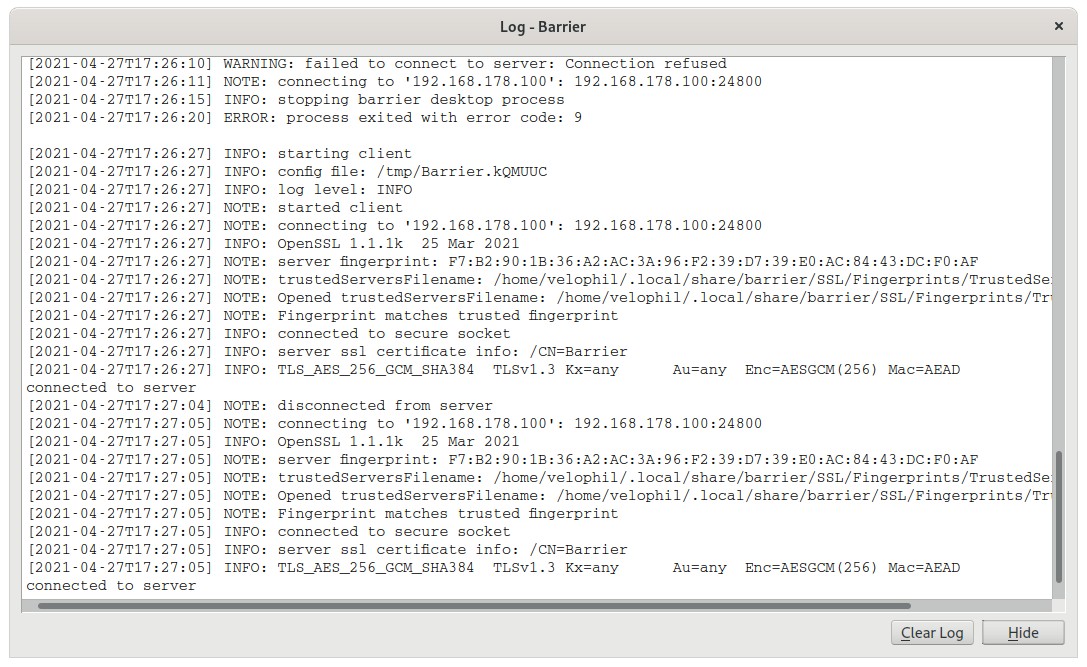
I can set up Barrier between my Laptop and main PC fine. Both are running OpenSUSE Tumbleweed with GNOME 40. Port is 24800 through SSL. Logs say "connection successful" but the cursor does not move to the Laptop screen. Any ideas how to fix this?
@erindru commented on GitHub (Apr 27, 2021):
I am also having this issue on GNOME 40 (Fedora 34 though, not OpenSUSE).
One thing to note is that the mouse events do seem to be going to the remote screen as I can see windows coming in and out of focus as I move the mouse. Just the cursor on the remote screen does not move
@erindru commented on GitHub (Apr 27, 2021):
Ah, turns out that Barrier does not support Wayland. https://github.com/debauchee/barrier/issues/109
@sliwowitz commented on GitHub (Apr 28, 2021):
I can't get the mouse to a Gnome 40 client on Xorg (Fedora 34, worked with F33/Gnome38 just a couple minutes ago). The client connects, and is seen in the server log, but the mouse never leaves the server screen.
@Velofil commented on GitHub (Apr 28, 2021):
Yepp, figured it out, too. Switched all machines to Xorg. Now Barrier is working fine.
@edgan commented on GitHub (Apr 28, 2021):
Works for me on Fedora 34 + Xorg + Gnome 40 client. I am not sure if it is Barrier or not, but I am seeing edge resistance. It requires extra force to escape the client's screen back to the server, or from the server to the client's screen. The latter is making me think it is Barrier.
@NeuroticTumbleweed commented on GitHub (May 3, 2021):
I'm having a similar issue.
Server: Fedora 34, gnome 40, wayland compositor
Client: macOS Catalina 10.15.3
However the behaviour I'm seeing is that Barrier is successfully controlling the other device (Macbook Pro) but only from the workspace that the barrier window was initially opened on.
@sliwowitz commented on GitHub (May 22, 2021):
I don't know what happened, but this week barrier suddenly started to work again, and has been consistently working for a couple of days.
Server: Ubuntu 21.04 / Gnome 38 / Xorg & nvidia; Client: Fedora 34 / Gnome 40 / Xorg & intel (nvidia installed for external gpu, but not in use here)
Since the @Velofil 's bug with not being able to cross the screens at all has been fixed by switching to Xorg, and mine went away, maybe this issue could be closed, and others opened for the different bugs mentioned in this thread.