mirror of
https://github.com/debauchee/barrier.git
synced 2026-10-23 08:07:53 -06:00
[GH-ISSUE #1026] Keyboard on client gets disabled when receiving keys from server #812
Labels
No labels
HiDPI
bounty
bsd/freebsd
bsd/openbsd
bug
bug
build-infra
cantfix
critical
doc
duplicate
enhancement
fix-available
from git
from release
good first issue
help wanted
installer/package
invalid
linux
macOS
meta
needs testing
pull-request
query
question
regression
regression
v2.4.0
windows
wontfix
work-in-progress
No milestone
No project
No assignees
1 participant

Notifications
Due date
No due date set.
Dependencies
No dependencies set
Reference
github-starred/barrier#812
Loading…
Reference in a new issue
No description provided.
Delete branch "%!s()"
Deleting a branch is permanent. Although the deleted branch may continue to exist for a short time before it actually gets removed, it CANNOT be undone in most cases. Continue?
Originally created by @rouceto1 on GitHub (Jan 16, 2021).
Original GitHub issue: https://github.com/debauchee/barrier/issues/1026
Describe the bug
Keyboard input gets temporarily disabled when keypress is sent from server to client.
When this happens once the behaviour also persists for keypresses on the client machine as well until the barrier is disabled.
This behaviour is NOT present if a key with modifiers like CTRL or ALT is sent and that key can pass though except this does not apply for client keyboard which is disabled altogether (except print screen key).
To Reproduce
Steps to reproduce the behaviour:
Expected behavior
I would expect to be able to type without problem
Screenshots
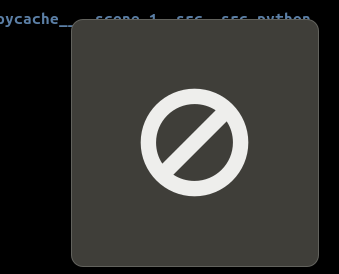
This image appears on the screen of a client
Desktop (please complete the following information):
Additional context
Started happening randomly after reboot of a server system.
@rouceto1 commented on GitHub (Jan 16, 2021):
Seems to be a problem with the server since this happens even when I installed older version 2.3.2 on clinet.
@rouceto1 commented on GitHub (Jan 16, 2021):
Uninstalling latest windows security update KB4598242 helped. I am currently on KB4592438 and everything works.