mirror of
https://github.com/debauchee/barrier.git
synced 2026-10-23 08:07:53 -06:00
[GH-ISSUE #877] Where are config files stored for Raspberry Pi OS? #697
Labels
No labels
HiDPI
bounty
bsd/freebsd
bsd/openbsd
bug
bug
build-infra
cantfix
critical
doc
duplicate
enhancement
fix-available
from git
from release
good first issue
help wanted
installer/package
invalid
linux
macOS
meta
needs testing
pull-request
query
question
regression
regression
v2.4.0
windows
wontfix
work-in-progress
No milestone
No project
No assignees
1 participant

Notifications
Due date
No due date set.
Dependencies
No dependencies set
Reference
github-starred/barrier#697
Loading…
Reference in a new issue
No description provided.
Delete branch "%!s()"
Deleting a branch is permanent. Although the deleted branch may continue to exist for a short time before it actually gets removed, it CANNOT be undone in most cases. Continue?
Originally created by @NoozAbooz on GitHub (Sep 20, 2020).
Original GitHub issue: https://github.com/debauchee/barrier/issues/877
So on my raspberry pi, I accidentally enabled "hide to system tray". I'm using a fork of rpiOS called TwisterOS, which uses xfce-4. Because of this, I can't edit my barrier settings nor open the application. I have tried to apt purge barrier, but when I reinstall it still doesn't show, which I think is because of a residue config file somewhere.
@dieser-niko commented on GitHub (Sep 21, 2020):
When you open Barrier, the icon should appear, might look like this, I don't know how it looks like on TwisterOS:
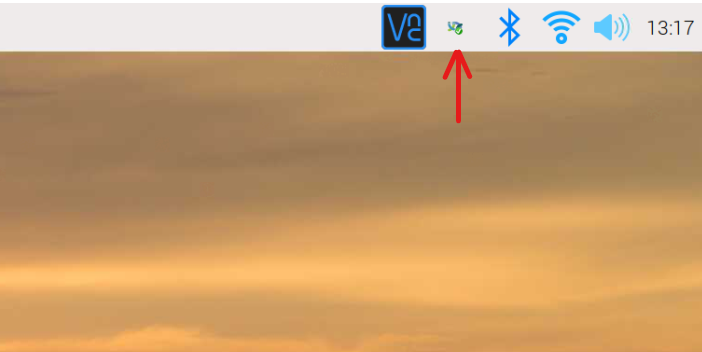
Right-click on it and press show. Then you can change the config. Sadly I can't really tell where the config file is, couldn't find it for myself.
@NoozAbooz commented on GitHub (Sep 21, 2020):
It's doesn't show up in the system tray since I got xfce instead of pixel preseuably. But with a little bit of searching with catfish, I found the config file! The location is /home/pi/.config/Dubache/config.conf or something like that.