[GH-ISSUE #800] Jumpy scrolling on Mac Client with Mac server #632

Open
opened 2026-05-05 06:48:50 -06:00 by gitea-mirror · 19 comments
Owner

Originally created by @jkaufman on GitHub (Jul 17, 2020).
Original GitHub issue: https://github.com/debauchee/barrier/issues/800

Operating Systems

Server: macOS Catalina 10.15.5

Client: macOS Catalina 10.15.5

Barrier Version

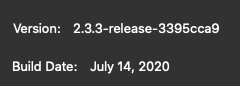
2.3.3-release-3395cca9

Steps to reproduce bug

  1. Establish server and connect client.
  2. Scroll with focus on server. Note smooth scrolling.
  3. Scroll with focus on client. Note choppy scrolling.

Other info

  • When did the problem start to occur? First use of Barrier
  • Is there a way to work around it? Unknown
  • Does this bug prevent you from using Barrier entirely? No

I see a possibly related bug (#64) and found references to yScroll in Synergy (https://coderazzi.net/linux/synergy.patch/index.htm), but have not found a way to set this option in Barrier.

Originally created by @jkaufman on GitHub (Jul 17, 2020). Original GitHub issue: https://github.com/debauchee/barrier/issues/800 ### Operating Systems ### Server: macOS Catalina 10.15.5 Client: macOS Catalina 10.15.5 ### Barrier Version ### 2.3.3-release-3395cca9 ### Steps to reproduce bug ### 1. Establish server and connect client. 2. Scroll with focus on server. Note smooth scrolling. 3. Scroll with focus on client. Note choppy scrolling. ### Other info ### * When did the problem start to occur? First use of Barrier * Is there a way to work around it? Unknown * Does this bug prevent you from using Barrier entirely? No I see a possibly related bug (#64) and found references to `yScroll` in Synergy (https://coderazzi.net/linux/synergy.patch/index.htm), but have not found a way to set this option in Barrier.
Author
Owner

@2600box commented on GitHub (Jul 20, 2020):

I'm new to Barrier and have just installed it on two macs. I am seeing the same jumpy scrolling behaviour in the client as described in this issue.

<!-- gh-comment-id:660846573 --> @2600box commented on GitHub (Jul 20, 2020): I'm new to Barrier and have just installed it on two macs. I am seeing the same jumpy scrolling behaviour in the client as described in this issue.
Author
Owner

@drew-t commented on GitHub (Jul 22, 2020):

Same issue here. New install. Server and client are both OS X Catalina 10.15.5.
Screen Shot 2020-07-22 at 2 05 46 PM

<!-- gh-comment-id:662670916 --> @drew-t commented on GitHub (Jul 22, 2020): Same issue here. New install. Server and client are both OS X Catalina 10.15.5. ![Screen Shot 2020-07-22 at 2 05 46 PM](https://user-images.githubusercontent.com/12980955/88223602-f7698c80-cc24-11ea-9d1c-5a432c702fe1.png)
Author
Owner

@Unknown-Guy commented on GitHub (Aug 14, 2020):

Same problem but with Win as server.

Server: Windows 10 Home 64-bit (10.0, Build 18363)
Client: MacOS 10.15.6

Barrier 2.3.3 on both

Win is wired, mac is on WiFi

Ping from mac

--- 192.168.1.245 ping statistics ---
32 packets transmitted, 32 packets received, 0.0% packet loss
round-trip min/avg/max/stddev = 1.031/1.857/2.908/0.598 ms

I guess I'll add that this is same for mouse cursor.

<!-- gh-comment-id:674107230 --> @Unknown-Guy commented on GitHub (Aug 14, 2020): Same problem but with Win as server. Server: Windows 10 Home 64-bit (10.0, Build 18363) Client: MacOS 10.15.6 Barrier 2.3.3 on both Win is wired, mac is on WiFi Ping from mac ``` --- 192.168.1.245 ping statistics --- 32 packets transmitted, 32 packets received, 0.0% packet loss round-trip min/avg/max/stddev = 1.031/1.857/2.908/0.598 ms ``` I guess I'll add that this is same for mouse cursor.
Author
Owner

@Laibalion commented on GitHub (Sep 18, 2020):

I'm also observing the same issue. Both devices are wired and using version 2.3.3
Other mouse interaction works seamlessly, only scrolling is jumpy.

<!-- gh-comment-id:694712464 --> @Laibalion commented on GitHub (Sep 18, 2020): I'm also observing the same issue. Both devices are wired and using version 2.3.3 Other mouse interaction works seamlessly, only scrolling is jumpy.
Author
Owner

@Laibalion commented on GitHub (Sep 18, 2020):

Just noticed something. I'm using Logitech MX Vertical and had 'Smooth scrolling' enabled.
After disabling this, scrolling started working fine on the 'client'

<!-- gh-comment-id:694713932 --> @Laibalion commented on GitHub (Sep 18, 2020): Just noticed something. I'm using Logitech MX Vertical and had 'Smooth scrolling' enabled. After disabling this, scrolling started working fine on the 'client'
Author
Owner

@OKNoah commented on GitHub (Nov 21, 2020):

It seems like the app emulates Windows' mouse click wheel scrolling, even on Mac client/servers with Trackpads. Also, all but one scroll motion is reversed. And gestures are ignored.

<!-- gh-comment-id:731584230 --> @OKNoah commented on GitHub (Nov 21, 2020): It seems like the app emulates Windows' mouse click wheel scrolling, even on Mac client/servers with Trackpads. Also, all but one scroll motion is reversed. And gestures are ignored.
Author
Owner

@cfiske commented on GitHub (Nov 25, 2020):

I am seeing what I believe is the same issue. My observation is not that scrolling is jumpy on clients, but that it scrolls at least twice as fast on client as on server (both MacBook Pro, both Catalina 10.15.7, both Barrier version 2.3.3). It happens using either the built-in trackpad or the external Magic Trackpad.

<!-- gh-comment-id:733951635 --> @cfiske commented on GitHub (Nov 25, 2020): I am seeing what I believe is the same issue. My observation is not that scrolling is jumpy on clients, but that it scrolls at least twice as fast on client as on server (both MacBook Pro, both Catalina 10.15.7, both Barrier version 2.3.3). It happens using either the built-in trackpad or the external Magic Trackpad.
Author
Owner

@MadLittleMods commented on GitHub (Dec 16, 2020):

I am reproducing the same problem.

Environment:

  • Windows 10 (Barrier server)
  • macOS 10.15.7 (Barrier client)
  • Logitech MX Master 3 mouse
    • Smooth scrolling disabled
    • SmartShift disabled
    • Scroll wheel mode: ratchet

There is a nice superuser answer about using the --yscroll argument to adjust the scroll jump, or making it more permanent by replacing the synergyc binary with the --yscroll argument but I was unable to get these to work with Barrier.

Trying different values of 10, 100, etc seem to have no difference trying to configure on the Barrier client.

$ /Applications/Barrier.app/Contents/MacOS/barrierc -f --no-tray --debug DEBUG --name my-computer-name --enable-drag-drop --enable-crypto --yscroll 10 \[other-computer-name\]:24800 

The --yscroll <delta> option is mentioned in the help:

$ /Applications/Barrier.app/Contents/MacOS/barrierc --help

Start the barrier client and connect to a remote server component.

Usage: barrierc [--yscroll <delta>] [--daemon|--no-daemon] [--name <screen-name>] [--restart|--no-restart] [--debug <level>] <server-address>
...

Looking through the Barrier code, it seems like the --yscroll option is still in place, src/test/unittests/barrier/ClientArgsParsingTests.cpp#L40-L52

I also looked into configuring this on the Barrier server but barriers has different options and doesn't make sense to configure here anyway.

`barriers.exe --help`
$ "C:/Program Files/Barrier/barriers.exe" --help
Start the barrier server component.

Usage: barriers.exe [--address <address>] [--config <pathname>] [--service <action>] [--relaunch] [--exit-pause] [--name <screen-name>] [--restart|--no-restart] [--debug <level>]

Options:
  -a, --address <address>  listen for clients on the given address.
  -c, --config <pathname>  use the named configuration file instead.
  -d, --debug <level>      filter out log messages with priority below level.
                             level may be: FATAL, ERROR, WARNING, NOTE, INFO,
                             DEBUG, DEBUG1, DEBUG2.
  -n, --name <screen-name> use screen-name instead the hostname to identify
                             this screen in the configuration.
  -1, --no-restart         do not try to restart on failure.
      --restart            restart the server automatically if it fails. (*)
  -l  --log <file>         write log messages to file.
      --no-tray            disable the system tray icon.
      --enable-drag-drop   enable file drag & drop.
      --enable-crypto      enable the crypto (ssl) plugin.
      --service <action>   manage the windows service, valid options are:
                             install/uninstall/start/stop
      --relaunch           persistently relaunches process in current user
                             session (useful for vista and upward).
      --exit-pause         wait for key press on exit, can be useful for
                             reading error messages that occur on exit.
  -h, --help               display this help and exit.
      --version            display version information and exit.

Default options are marked with a *
<!-- gh-comment-id:747109133 --> @MadLittleMods commented on GitHub (Dec 16, 2020): I am reproducing the same problem. Environment: - Windows 10 (Barrier server) - macOS 10.15.7 (Barrier client) - Logitech MX Master 3 mouse - Smooth scrolling disabled - SmartShift disabled - Scroll wheel mode: ratchet --- There is a nice [superuser answer about using the `--yscroll` argument to adjust the scroll jump](https://superuser.com/a/1183608/130885), or making it more permanent by [replacing the `synergyc` binary with the `--yscroll` argument](https://github.com/symless/synergy-core/issues/3657#issuecomment-58854803) but I was unable to get these to work with Barrier. Trying different values of `10`, `100`, etc seem to have no difference trying to configure on the Barrier client. ```sh $ /Applications/Barrier.app/Contents/MacOS/barrierc -f --no-tray --debug DEBUG --name my-computer-name --enable-drag-drop --enable-crypto --yscroll 10 \[other-computer-name\]:24800 ``` The `--yscroll <delta>` option is mentioned in the help: ```sh $ /Applications/Barrier.app/Contents/MacOS/barrierc --help Start the barrier client and connect to a remote server component. Usage: barrierc [--yscroll <delta>] [--daemon|--no-daemon] [--name <screen-name>] [--restart|--no-restart] [--debug <level>] <server-address> ... ``` Looking through the Barrier code, it seems like the `--yscroll` option is still in place, [`src/test/unittests/barrier/ClientArgsParsingTests.cpp#L40-L52`](https://github.com/debauchee/barrier/blob/e032d14a48e0058374e3cb7705542d5f26a625df/src/test/unittests/barrier/ClientArgsParsingTests.cpp#L40-L52) I also looked into configuring this on the Barrier server but `barriers` has different options and doesn't make sense to configure here anyway. <details> <summary>`barriers.exe --help`</summary> ```sh $ "C:/Program Files/Barrier/barriers.exe" --help Start the barrier server component. Usage: barriers.exe [--address <address>] [--config <pathname>] [--service <action>] [--relaunch] [--exit-pause] [--name <screen-name>] [--restart|--no-restart] [--debug <level>] Options: -a, --address <address> listen for clients on the given address. -c, --config <pathname> use the named configuration file instead. -d, --debug <level> filter out log messages with priority below level. level may be: FATAL, ERROR, WARNING, NOTE, INFO, DEBUG, DEBUG1, DEBUG2. -n, --name <screen-name> use screen-name instead the hostname to identify this screen in the configuration. -1, --no-restart do not try to restart on failure. --restart restart the server automatically if it fails. (*) -l --log <file> write log messages to file. --no-tray disable the system tray icon. --enable-drag-drop enable file drag & drop. --enable-crypto enable the crypto (ssl) plugin. --service <action> manage the windows service, valid options are: install/uninstall/start/stop --relaunch persistently relaunches process in current user session (useful for vista and upward). --exit-pause wait for key press on exit, can be useful for reading error messages that occur on exit. -h, --help display this help and exit. --version display version information and exit. Default options are marked with a * ``` </details>
Author
Owner

@gazoakley commented on GitHub (Feb 1, 2021):

Looks like the code the client uses to simulate scroll events on MacOS is here:

fc045fc793/src/lib/platform/OSXScreen.mm (L673)

Related Apple docs:

https://developer.apple.com/documentation/coregraphics/1541327-cgeventcreatescrollwheelevent
https://developer.apple.com/documentation/coregraphics/cgscrolleventunit

You may pass one of these constants to the function CGEventCreateScrollWheelEvent to specify the unit of measurement for the event. The constant kCGScrollEventUnitPixel produces an event that most applications interpret as a smooth scrolling event.

It looks like changing this to use kCGScrollEventUnitPixel (as the comment in the code also suggest) might resolve the issue.

<!-- gh-comment-id:771029488 --> @gazoakley commented on GitHub (Feb 1, 2021): Looks like the code the client uses to simulate scroll events on MacOS is here: https://github.com/debauchee/barrier/blob/fc045fc79326cef966405b1cc578e8f062ae5294/src/lib/platform/OSXScreen.mm#L673 Related Apple docs: https://developer.apple.com/documentation/coregraphics/1541327-cgeventcreatescrollwheelevent https://developer.apple.com/documentation/coregraphics/cgscrolleventunit > You may pass one of these constants to the function CGEventCreateScrollWheelEvent to specify the unit of measurement for the event. The constant kCGScrollEventUnitPixel produces an event that most applications interpret as a smooth scrolling event. It looks like changing this to use kCGScrollEventUnitPixel (as the comment in the code also suggest) might resolve the issue.
Author
Owner

@ylluminate commented on GitHub (Mar 28, 2021):

Same here and it seems as though @gazoakley may be right. Have you tried this fix and compiling an update to see how it works?

<!-- gh-comment-id:808946335 --> @ylluminate commented on GitHub (Mar 28, 2021): Same here and it seems as though @gazoakley may be right. Have you tried this fix and compiling an update to see how it works?
Author
Owner

@AryaTwirl commented on GitHub (Nov 3, 2021):

Looks like the code the client uses to simulate scroll events on MacOS is here:

fc045fc793/src/lib/platform/OSXScreen.mm (L673)

Related Apple docs:

https://developer.apple.com/documentation/coregraphics/1541327-cgeventcreatescrollwheelevent https://developer.apple.com/documentation/coregraphics/cgscrolleventunit

You may pass one of these constants to the function CGEventCreateScrollWheelEvent to specify the unit of measurement for the event. The constant kCGScrollEventUnitPixel produces an event that most applications interpret as a smooth scrolling event.

It looks like changing this to use kCGScrollEventUnitPixel (as the comment in the code also suggest) might resolve the issue.

Hi, does this mean I only need to change that to kCGScrollEventUnitPixel and compile it? Not experienced in programming, so wanna make sure that's what I need to do. Also, can you confirm this really works? Thank you.

<!-- gh-comment-id:958618940 --> @AryaTwirl commented on GitHub (Nov 3, 2021): > Looks like the code the client uses to simulate scroll events on MacOS is here: > > https://github.com/debauchee/barrier/blob/fc045fc79326cef966405b1cc578e8f062ae5294/src/lib/platform/OSXScreen.mm#L673 > > Related Apple docs: > > https://developer.apple.com/documentation/coregraphics/1541327-cgeventcreatescrollwheelevent https://developer.apple.com/documentation/coregraphics/cgscrolleventunit > > > You may pass one of these constants to the function CGEventCreateScrollWheelEvent to specify the unit of measurement for the event. The constant kCGScrollEventUnitPixel produces an event that most applications interpret as a smooth scrolling event. > > It looks like changing this to use kCGScrollEventUnitPixel (as the comment in the code also suggest) might resolve the issue. Hi, does this mean I only need to change that to kCGScrollEventUnitPixel and compile it? Not experienced in programming, so wanna make sure that's what I need to do. Also, can you confirm this really works? Thank you.
Author
Owner

@henrijaeger commented on GitHub (May 28, 2023):

Hey guys, did anyone manage to get yscroll working in the end?

I am having the same issue on my machine - scrolling on the client is almost twice as fast compared to the server...

<!-- gh-comment-id:1566265907 --> @henrijaeger commented on GitHub (May 28, 2023): Hey guys, did anyone manage to get yscroll working in the end? I am having the same issue on my machine - scrolling on the client is almost twice as fast compared to the server...
Author
Owner

@jkfran commented on GitHub (Aug 10, 2023):

Any updates?

<!-- gh-comment-id:1673813685 --> @jkfran commented on GitHub (Aug 10, 2023): Any updates?
Author
Owner

@wallneradam commented on GitHub (Sep 24, 2023):

I've found a solution.
Change the onMouseMove method in src/lib/platform/OSXScreen.mm to this:

bool
OSXScreen::onMouseWheel(SInt32 xDelta, SInt32 yDelta) const
{
	yDelta += yDelta < -1 ? -120 : yDelta > 1 ? 120 : 0;  // Solves the jumpy mouse wheel issue
	xDelta *= -1;  // Invert the xDelta
	xDelta += xDelta < -1 ? -120 : xDelta > 1 ? 120 : 0;  // Solves the jumpy mouse wheel issue
	LOG((CLOG_DEBUG1 "event: button wheel delta=%+d,%+d", xDelta, yDelta));
	sendEvent(m_events->forIPrimaryScreen().wheel(), WheelInfo::alloc(xDelta, yDelta));
	return true;
}

The trick is to add 120 to the delta if it is different than zero. After this it works amost the same way as in MacOS.

<!-- gh-comment-id:1732598622 --> @wallneradam commented on GitHub (Sep 24, 2023): I've found a solution. Change the `onMouseMove` method in `src/lib/platform/OSXScreen.mm` to this: ```C++ bool OSXScreen::onMouseWheel(SInt32 xDelta, SInt32 yDelta) const { yDelta += yDelta < -1 ? -120 : yDelta > 1 ? 120 : 0; // Solves the jumpy mouse wheel issue xDelta *= -1; // Invert the xDelta xDelta += xDelta < -1 ? -120 : xDelta > 1 ? 120 : 0; // Solves the jumpy mouse wheel issue LOG((CLOG_DEBUG1 "event: button wheel delta=%+d,%+d", xDelta, yDelta)); sendEvent(m_events->forIPrimaryScreen().wheel(), WheelInfo::alloc(xDelta, yDelta)); return true; } ``` The trick is to add 120 to the delta if it is different than zero. After this it works amost the same way as in MacOS.
Author
Owner

@gabrielpersaud commented on GitHub (Oct 2, 2023):

I've found a solution. Change the onMouseMove method in src/lib/platform/OSXScreen.mm to this:

bool
OSXScreen::onMouseWheel(SInt32 xDelta, SInt32 yDelta) const
{
	yDelta += yDelta < -1 ? -120 : yDelta > 1 ? 120 : 0;  // Solves the jumpy mouse wheel issue
	xDelta *= -1;  // Invert the xDelta
	xDelta += xDelta < -1 ? -120 : xDelta > 1 ? 120 : 0;  // Solves the jumpy mouse wheel issue
	LOG((CLOG_DEBUG1 "event: button wheel delta=%+d,%+d", xDelta, yDelta));
	sendEvent(m_events->forIPrimaryScreen().wheel(), WheelInfo::alloc(xDelta, yDelta));
	return true;
}

The trick is to add 120 to the delta if it is different than zero. After this it works amost the same way as in MacOS.

Hi thanks for your work on this. I've tried to implement your solution but I keep getting errors when running clean_build.sh. Could you upload your build?

<!-- gh-comment-id:1743458249 --> @gabrielpersaud commented on GitHub (Oct 2, 2023): > I've found a solution. Change the `onMouseMove` method in `src/lib/platform/OSXScreen.mm` to this: > > ```c++ > bool > OSXScreen::onMouseWheel(SInt32 xDelta, SInt32 yDelta) const > { > yDelta += yDelta < -1 ? -120 : yDelta > 1 ? 120 : 0; // Solves the jumpy mouse wheel issue > xDelta *= -1; // Invert the xDelta > xDelta += xDelta < -1 ? -120 : xDelta > 1 ? 120 : 0; // Solves the jumpy mouse wheel issue > LOG((CLOG_DEBUG1 "event: button wheel delta=%+d,%+d", xDelta, yDelta)); > sendEvent(m_events->forIPrimaryScreen().wheel(), WheelInfo::alloc(xDelta, yDelta)); > return true; > } > ``` > > The trick is to add 120 to the delta if it is different than zero. After this it works amost the same way as in MacOS. Hi thanks for your work on this. I've tried to implement your solution but I keep getting errors when running clean_build.sh. Could you upload your build?
Author
Owner

@wallneradam commented on GitHub (Oct 2, 2023):

You need to install QT5 to be able to build it. Either with brew (Homebrew) or with ports (MacPorts). If both of them installed you will get error.

But I uploaded my build to Google Drive. It also includes some other patches from pull requests. It works wonderfully for my needs:
https://drive.google.com/file/d/17mz6uGWVoSDp_aDTLdV-GDLLJgicFdnu/view?usp=sharing
Though if someone can build it on its own, it is better, because you cannot trust random binaries from the internet...

<!-- gh-comment-id:1743470927 --> @wallneradam commented on GitHub (Oct 2, 2023): You need to install QT5 to be able to build it. Either with `brew` (Homebrew) or with `ports` (MacPorts). If both of them installed you will get error. But I uploaded my build to Google Drive. It also includes some other patches from pull requests. It works wonderfully for my needs: https://drive.google.com/file/d/17mz6uGWVoSDp_aDTLdV-GDLLJgicFdnu/view?usp=sharing Though if someone can build it on its own, it is better, because you cannot trust random binaries from the internet...
Author
Owner

@gabrielpersaud commented on GitHub (Oct 2, 2023):

You need to install QT5 to be able to build it. Either with brew (Homebrew) or with ports (MacPorts). If both of them installed you will get error.

But I uploaded my build to Google Drive. It also includes some other patches from pull requests. It works wonderfully for my needs: https://drive.google.com/file/d/17mz6uGWVoSDp_aDTLdV-GDLLJgicFdnu/view?usp=sharing Though if someone can build it on its own, it is better, because you cannot trust random binaries from the internet...

I have them installed but I got an error about gmock and gtest missing. Someone else said 2.3.0 didn't have this problem. That gave me a new error (image). Googling this I only found something about a new version of cmake breaking the build. Maybe you have an idea?

View recent photos

Although the repo states that the latest version of barrier should work on 10.12 and later, for some reason your build works for me on my server (12.6.8) but not the client an old MBP (10.15.7)

<!-- gh-comment-id:1743513212 --> @gabrielpersaud commented on GitHub (Oct 2, 2023): > You need to install QT5 to be able to build it. Either with `brew` (Homebrew) or with `ports` (MacPorts). If both of them installed you will get error. > > But I uploaded my build to Google Drive. It also includes some other patches from pull requests. It works wonderfully for my needs: https://drive.google.com/file/d/17mz6uGWVoSDp_aDTLdV-GDLLJgicFdnu/view?usp=sharing Though if someone can build it on its own, it is better, because you cannot trust random binaries from the internet... I have them installed but I got an error about gmock and gtest missing. Someone else said 2.3.0 didn't have this problem. That gave me a new error (image). Googling this I only found something about a new version of cmake breaking the build. Maybe you have an idea? ![View recent photos](https://github.com/debauchee/barrier/assets/91692697/4d7f36a1-7356-4250-9937-d8947367fd7f) Although the repo states that the latest version of barrier should work on 10.12 and later, for some reason your build works for me on my server (12.6.8) but not the client an old MBP (10.15.7)
Author
Owner

@wallneradam commented on GitHub (Oct 2, 2023):

@gabrielpersaud As I said you need to install QT5, the easiest way is by using Homebrew.
I don't think barrier will work with that old MacOS (OSX?). My OS is Ventura 13.6. But don't know the minimum version for the binary.

<!-- gh-comment-id:1743540349 --> @wallneradam commented on GitHub (Oct 2, 2023): @gabrielpersaud As I said you need to install QT5, the easiest way is by using Homebrew. I don't think barrier will work with that old MacOS (OSX?). My OS is Ventura 13.6. But don't know the minimum version for the binary.
Author
Owner

@gabrielpersaud commented on GitHub (Oct 2, 2023):

@gabrielpersaud As I said you need to install QT5, the easiest way is by using Homebrew. I don't think barrier will work with that old MacOS (OSX?). My OS is Ventura 13.6. But don't know the minimum version for the binary.

Yup I have QT5 the most recent version. Would you pretty please build this one for me?? I've already put in your scrolling mod
barrier-2.3.3.zip

<!-- gh-comment-id:1743585141 --> @gabrielpersaud commented on GitHub (Oct 2, 2023): > @gabrielpersaud As I said you need to install QT5, the easiest way is by using Homebrew. I don't think barrier will work with that old MacOS (OSX?). My OS is Ventura 13.6. But don't know the minimum version for the binary. Yup I have QT5 the most recent version. Would you pretty please build this one for me?? I've already put in your scrolling mod [barrier-2.3.3.zip](https://github.com/debauchee/barrier/files/12785544/barrier-2.3.3.zip)
Sign in to join this conversation.
No milestone
No project
No assignees
1 participant
Notifications
Due date
The due date is invalid or out of range. Please use the format "yyyy-mm-dd".

No due date set.

Dependencies

No dependencies set.

Reference: github-starred/barrier#632
No description provided.