mirror of
https://github.com/debauchee/barrier.git
synced 2026-10-23 08:07:53 -06:00
[GH-ISSUE #754] Exclamation mark not working from Magic Keyboard to Windows 10 #589
Labels
No labels
HiDPI
bounty
bsd/freebsd
bsd/openbsd
bug
bug
build-infra
cantfix
critical
doc
duplicate
enhancement
fix-available
from git
from release
good first issue
help wanted
installer/package
invalid
linux
macOS
meta
needs testing
pull-request
query
question
regression
regression
v2.4.0
windows
wontfix
work-in-progress
No milestone
No project
No assignees
1 participant

Notifications
Due date
No due date set.
Dependencies
No dependencies set
Reference
github-starred/barrier#589
Loading…
Reference in a new issue
No description provided.
Delete branch "%!s()"
Deleting a branch is permanent. Although the deleted branch may continue to exist for a short time before it actually gets removed, it CANNOT be undone in most cases. Continue?
Originally created by @sgrienen on GitHub (Jun 15, 2020).
Original GitHub issue: https://github.com/debauchee/barrier/issues/754
Server: macOS High Sierra, latest available patches applied
Barrier version 2.3.2-snapshot-210c2b70
Client: Windows 10 1809
Barrier version 2.3.2-snapshot-210c2b70
Steps to reproduce bug
I'm using a Swiss German QWERTZ Apple Magic keyboard on my server, and when I try to type an exclamation mark, it just doesn't do anything on Windows 10. The exclamation mark is just beside the Enter key, above the " ¨ ", so it has to be reached using Shift. It's the only character I haven't been able to type in Windows from that keyboard, even if the mapping is sometimes tricky.
@github-actions[bot] commented on GitHub (Sep 19, 2020):
This issue has been automatically marked as stale due to inactivity. It will be closed if no further activity occurs. Thank you for your contributions.
@p12tic commented on GitHub (Jan 10, 2021):
Let's not close valid bugs without a valid reason.
@mumrich commented on GitHub (Oct 12, 2022):
I can confirm that the issue still exists, even on a Windows-11 (Server) -> Windows-11 (Client) scenario.

I'm also using a Swiss-German keyboard-layout.
Using Barrier:
I can neither input
¨nor!on a client machine, which is quite annoying for a programmer... 😅:ctrl+¨for opening terminals!missing.The key 00_1B does not seem to work at all:
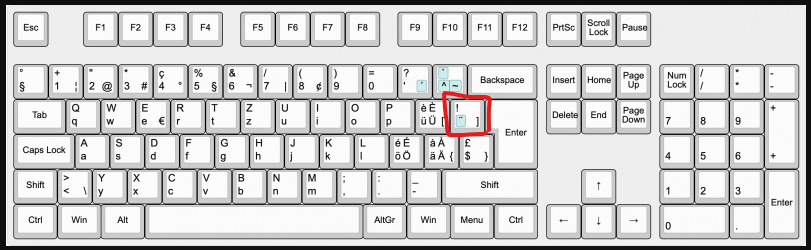
I've tried to press the 00_1B key with sharpkeys:
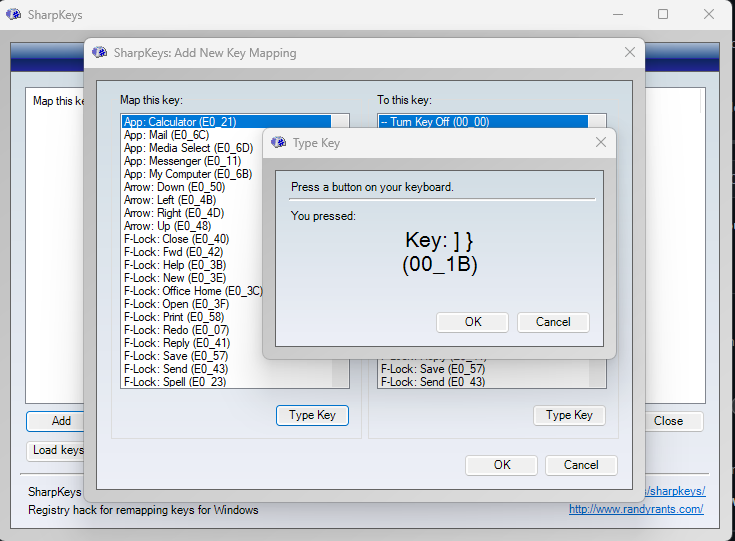
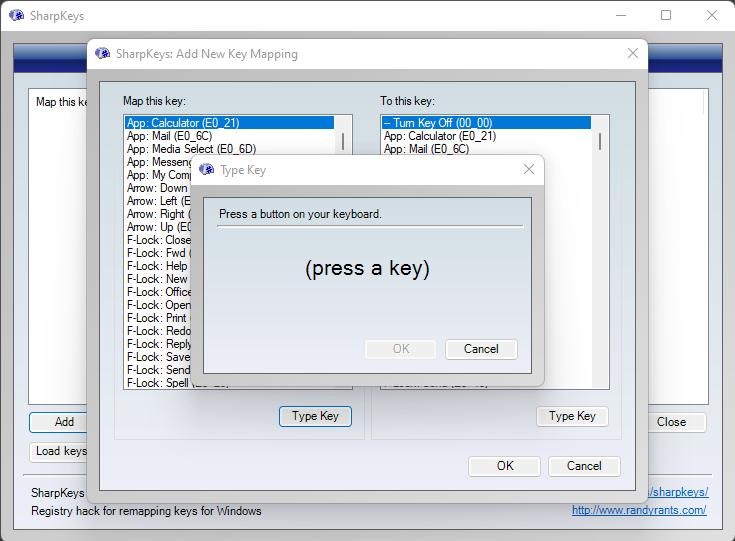
Server:
Client:
@lumisoft commented on GitHub (Oct 11, 2023):
Having the same issue using barrier 2.4.0 as server on Debian 12.2 and client on Windows 10 with Swiss french keyboard layout. "!" always missing.
@lucamiani commented on GitHub (Feb 13, 2024):
I have the same issue on 2.4 on Windows 10 to 10
@Dewege commented on GitHub (Nov 1, 2024):
Same issue here
Version 2.4.0-release-3e0d758b
server: macos ventura 13.6.7 swiss german keyboard (magic keyboard without num-block)
to client: W10 swiss german keyboard
Test 1 (change keyboard layout)
I tried to additionally configure a US international keyboard the windows-settings and switched to that, which barrier seems to respect for certain keys, but not for others:
Test 2 (use keystroke() to capture ! but produce another char on client)
I also tried to configure hotkeys via GUI and tested if I can produce other characters (e.g. an „a“) on W10 client when pressing ! on the Mac side (needs shift, as can be seen in screenshot above of @mumrich).
It shows as
keystroke(Shift+!)with actionkeystroke(a,W10PC)That works but with a caveat: now everytime when I want to type „!" on the server, an „a“ is always appearing on the client (even when the mouse is on the server (mac))
This happens also if I edit and use a barrier.conf file with the following line in section: options
keystroke(Shift+Exclaim) = keystroke(a,W10PC)maybe related:
I also can not write > or < to the client unless I specify this as hotkeys in GUI
keystroke(<)with actionkeystroke(<,W10PC)keystroke(Shift+>)with actionkeystroke(Shift+>,W10PC)and again: now they appear always on the client only, I can not type them locally on the server anymore.
Do I use that in a wrong way?
TL;DR summary