mirror of
https://github.com/debauchee/barrier.git
synced 2026-10-23 08:07:53 -06:00
[GH-ISSUE #1706] screens work when configured horizontally but not vertically #1262
Labels
No labels
HiDPI
bounty
bsd/freebsd
bsd/openbsd
bug
bug
build-infra
cantfix
critical
doc
duplicate
enhancement
fix-available
from git
from release
good first issue
help wanted
installer/package
invalid
linux
macOS
meta
needs testing
pull-request
query
question
regression
regression
v2.4.0
windows
wontfix
work-in-progress
No milestone
No project
No assignees
1 participant

Notifications
Due date
No due date set.
Dependencies
No dependencies set
Reference
github-starred/barrier#1262
Loading…
Reference in a new issue
No description provided.
Delete branch "%!s()"
Deleting a branch is permanent. Although the deleted branch may continue to exist for a short time before it actually gets removed, it CANNOT be undone in most cases. Continue?
Originally created by @haley183 on GitHub (Jun 29, 2022).
Original GitHub issue: https://github.com/debauchee/barrier/issues/1706
What happened?
I have an Ubuntu desktop (server) and windows laptop (client). The desktop monitor is physically above the laptop, however the mouse doesn't move across screens when I have it setup in the matching configuration. I also tried the laptop above the desktop with no luck.
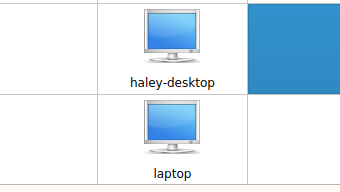
When I move the configuration to have the laptop next to the desktop (either right or left), the mouse moves across screens.

While it works, it's not ideal since the laptop can only be placed below the desktop screen physically. Any ideas on how to fix this where my mouse will move across screens vertically?
Version
v2.4.0
Git commit hash (if applicable)
No response
If applicable, where did you install Barrier from?
No response
What OSes are you seeing the problem on? (Check all that apply)
Linux, Windows
What OS versions are you using?
Ubuntu 22.04 LTS
Windows 11
Relevant log output
No response
Any other information
No response
@JayRugMan commented on GitHub (Aug 19, 2022):
I have a similar issue where I can only set the client above the server.
Server: Windows 10 Enterprise - Main laptop is in between two connecting monitors (one on each side)
Client: Linux Mint 20.3 - Sits below the windows 3-screen setup.
The logs show they connect just fine and it will work if I put the client above the server in the "Server Configuration," but not when I put it below, to, as mentioned by OP, match configuration with physical position.
This is very annoying and hindering this software's usability.