mirror of
https://github.com/MonitorControl/MonitorControl.git
synced 2026-10-23 08:07:35 -06:00
[GH-ISSUE #1028] Max brightness being set constantly once app starts. #618
Labels
No labels
Status: Abandoned
arm64
beta
beta
bug
done
duplicate
enhancement
feedback needed from reporter
in progress
information
invalid
investigating
known Issue
monitor Issue
pull-request
translation
unable to reproduce
unreleased
x86
No milestone
No project
No assignees
1 participant

Notifications
Due date
No due date set.
Dependencies
No dependencies set
Reference
github-starred/MonitorControl#618
Loading…
Reference in a new issue
No description provided.
Delete branch "%!s()"
Deleting a branch is permanent. Although the deleted branch may continue to exist for a short time before it actually gets removed, it CANNOT be undone in most cases. Continue?
Originally created by @Gabriel-Sa on GitHub (May 6, 2022).
Original GitHub issue: https://github.com/MonitorControl/MonitorControl/issues/1028
Before opening the issue, have you...?
Describe the bug
On my M1 Max MacBook Pro the brightness for the screen is being set to max automatically. The OSD for brightness stays on. The only solution is to unplug and replug in the monitor. Even restarting the computer causes the bug to persist. Not sure if this is an issue with Apple's display drivers or with the app itself.
Steps to reproduce
I'll update with the direct steps required to reproduce. Right now it seems that it happens if the laptop has been plugged in over night.
Expected behavior
The app should adjust the brightness as usual. However the app continues to display the brightness OSD even when no brightness function keys are being pressed.
Anything else?
No response
Environment Information (please complete the following information)
@Gabriel-Sa commented on GitHub (May 7, 2022):
Added below are some screenshots and a video demonstrating the bug.
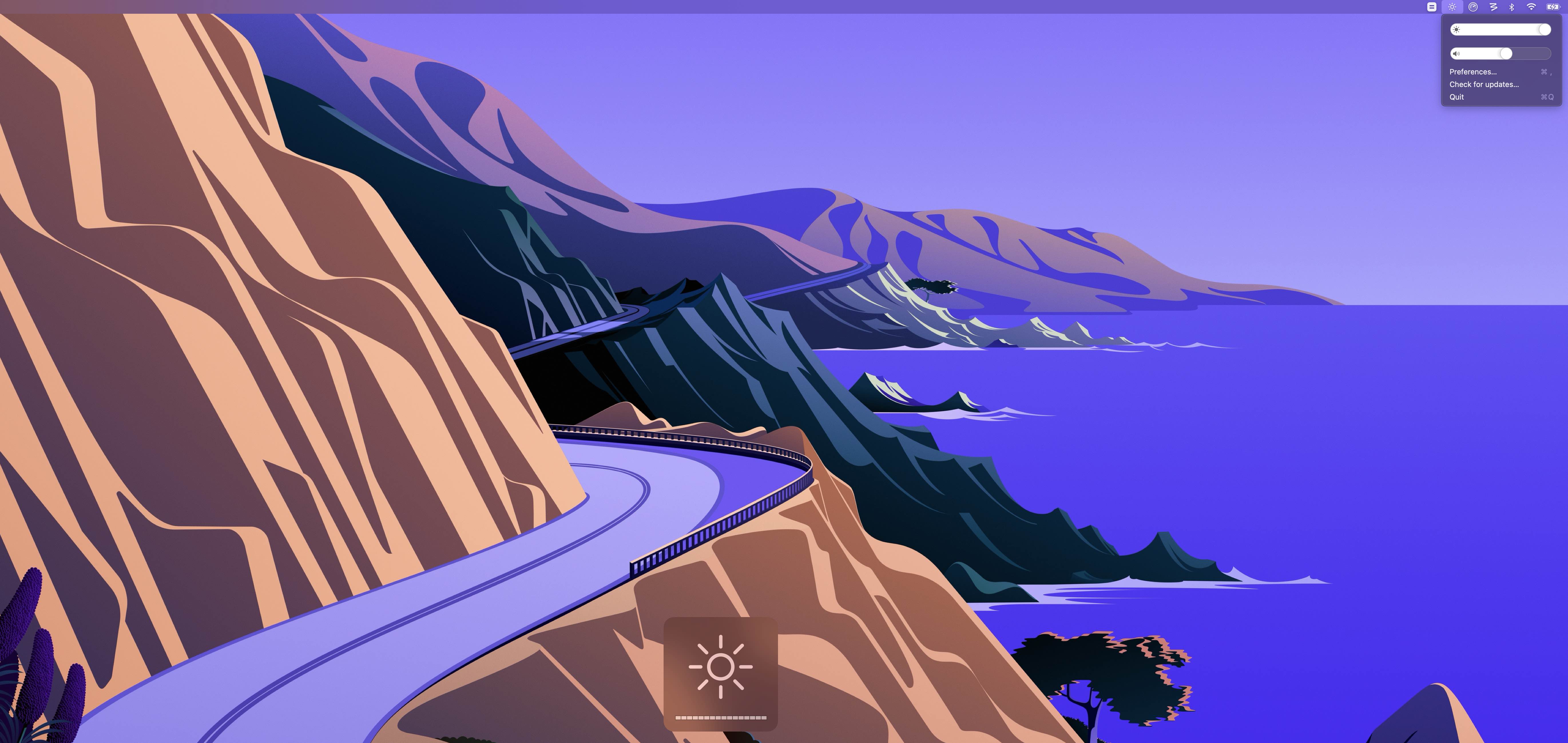
The screen shot was taken using the keyboard, so I wasn't pressing any of the brightness buttons.
The video below contains me moving the slider (without pressing any buttons), then pressing the buttons.
https://user-images.githubusercontent.com/19657801/167229597-52b2d277-e301-4f5d-8d9e-cb34e01f847c.mov
@the0neyouseek commented on GitHub (May 7, 2022):
Hi @Gabriel-Sa !
That's a weird one! Do you perhaps have the "Sync brightness" option enabled ?

@Gabriel-Sa commented on GitHub (May 7, 2022):
Hi! Yep I made sure it was off. I keep my laptop in clamshell mode too.
@ltreme commented on GitHub (May 9, 2022):
I have the same problem, but instead of the brightness, the volume increases constantly after I start MonitorControl.
My specs are:
@Gabriel-Sa commented on GitHub (May 11, 2022):
Update, appears to be happening with the volume settings as well. Not sure if this is a Mac bug or a bug with the app.
@stale[bot] commented on GitHub (Jan 12, 2024):
Hey there, it looks like there has been no activity on this issue recently. Has the issue been fixed, or does it still require attention? This issue may be closed if no further activity occurs. Thank you for your contributions.
[GH-ISSUE #1028] Max brightness being set constantly once app starts.to [GH-ISSUE #1028] Max brightness being set constantly once app starts.