mirror of
https://github.com/MonitorControl/MonitorControl.git
synced 2026-10-23 08:07:35 -06:00
[GH-ISSUE #50] Mouse cursor stutters as soon as the app is launched #46
Labels
No labels
Status: Abandoned
arm64
beta
beta
bug
done
duplicate
enhancement
feedback needed from reporter
in progress
information
invalid
investigating
known Issue
monitor Issue
pull-request
translation
unable to reproduce
unreleased
x86
No milestone
No project
No assignees
1 participant

Notifications
Due date
No due date set.
Dependencies
No dependencies set
Reference
github-starred/MonitorControl#46
Loading…
Reference in a new issue
No description provided.
Delete branch "%!s()"
Deleting a branch is permanent. Although the deleted branch may continue to exist for a short time before it actually gets removed, it CANNOT be undone in most cases. Continue?
Originally created by @20015jjw on GitHub (Sep 30, 2018).
Original GitHub issue: https://github.com/MonitorControl/MonitorControl/issues/50
Originally assigned to: @the0neyouseek on GitHub.
I downloaded the latest version of the MonitorControl from the release section. As soon as I start the app, the cursor becomes very unresponsive. The app works (at least the brightness does), and the rest of the system is fine, as the youtube video I'm watching doesn't show any signs of lagging or stuttering.
I might do some digging on my own into this issue, but if you can find out why, it would be awesome. Please let me know if more information for debugging is needed.
@koriwi commented on GitHub (Nov 12, 2018):
Same for me.
(I have a hackintosh laptop with real HDMI and two thunderbolt 3 ports)
When i use a USB-C to HDMI cable i get the stutters.
When i use the real HDMI port it works fine.
Tested this with a MacbookPro 2017 over USB-C and have the same stuttery mess.
@ghost commented on GitHub (Nov 13, 2018):
Same here. Macbook Pro 2017 over USB-C to HDMI. Unusable performance stutters.
@AmenRa commented on GitHub (Dec 4, 2018):
Same. Macbook Pro 2018 15 -> USB-C dongle -> HDMI.
It is also doesn't working. I have an LG 34UM95.
@MHX792 commented on GitHub (Jan 6, 2019):
Any fix incoming?
@MHX792 commented on GitHub (Jan 8, 2019):
I found a way to reproduce the sluggishness. I use two monitors. When both monitors are turned on and I launch Monitor Control the sluggishness goes away after a few seconds. If, however, one monitor is turned off (but still connected) the sluggishness persists.
I suppose the sluggishness occurs when MonitorControl tries to identify the connected monitors. Right after the ok button is clicked in this dialogue:
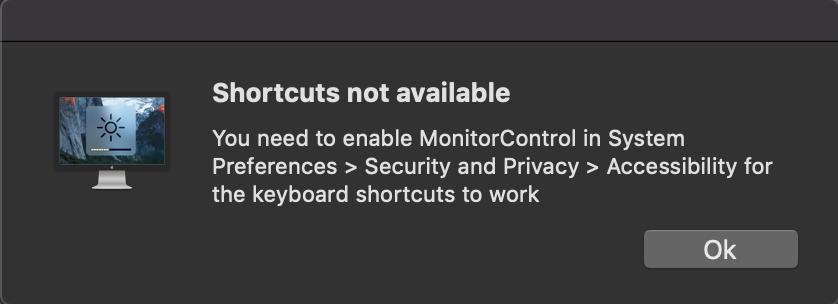
If a monitor is turned off, it probably cannot identify it therefore leading to infinite sluggishness.
Further information that may help you find the bug: After launching MonitorControl when both monitors are turned on, the sluggishness goes away quickly. When I turn off the second monitor after that, the sluggishness does not come back. It also works without any problems, when the mac goes to sleep and the first monitor is cut off from power during that.
@the0neyouseek commented on GitHub (Jan 10, 2019):
Hi everyone, thanks for the report and sorry for the delay responding. I'll have a look at fixing this bug this week-end.
@MHX792 commented on GitHub (Jan 11, 2019):
I downloaded and compiled the project. The mouse stutters indeed while attempting to identify the monitors. If both monitors are turned on, the identification takes only a few seconds and the suttering goes away.
If the second monitor is turned off, it keeps searching forever.
@JoniVR commented on GitHub (May 8, 2019):
Possibly related to #37
@the0neyouseek commented on GitHub (May 23, 2019):
Closed, see #37 for further discussions