mirror of
https://github.com/MonitorControl/MonitorControl.git
synced 2026-10-23 08:07:35 -06:00
[GH-ISSUE #514] M1 Macbook, works with HDMI adapter but fails with USB-C connecting. #404
Labels
No labels
Status: Abandoned
arm64
beta
beta
bug
done
duplicate
enhancement
feedback needed from reporter
in progress
information
invalid
investigating
known Issue
monitor Issue
pull-request
translation
unable to reproduce
unreleased
x86
No milestone
No project
No assignees
1 participant

Notifications
Due date
No due date set.
Dependencies
No dependencies set
Reference
github-starred/MonitorControl#404
Loading…
Reference in a new issue
No description provided.
Delete branch "%!s()"
Deleting a branch is permanent. Although the deleted branch may continue to exist for a short time before it actually gets removed, it CANNOT be undone in most cases. Continue?
Originally created by @guobize on GitHub (Aug 12, 2021).
Original GitHub issue: https://github.com/MonitorControl/MonitorControl/issues/514
Checklist
Describe the bug
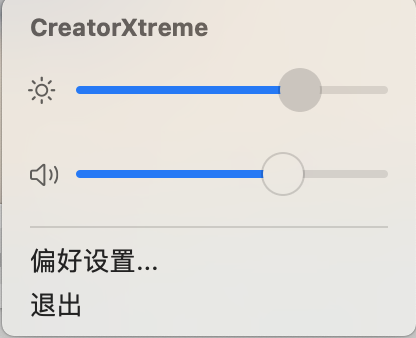
My monitor has usb-C and HDMI 2.0 outlets. And the monitor can be detected both way but the brightness adjusting only works when it's connected through apple HDMI adaptor. And the brightness slide bar looks laggy with USB-C.
Expected behavior
(Besides this, I'd like to have an option of adjust the brightness of different screens separately with keyboards like the old intel version does. Solved!---@guobize - also you can control displays separately. If you don't enable 'Change Brightness and Volume for all screens' then only the active screen (which has the active menu bar) will be controlled via the keyboard.)
Screenshots


Environment Information (please complete the following information):
@didaquis commented on GitHub (Aug 12, 2021):
Similar issue for me using an iMac M1. Using the USB-C port MonitorControl show the message "No supported display found".
The same display connected over mini-display port on a MacBook Air (Intel) works perfectly.
@waydabber commented on GitHub (Aug 12, 2021):
@guobize, I am afraid the USB-C to HDMI cable might somehow block DDC communication or might be using the rather rare HDMI Alt Mode internally which is probably not working on M1 macs properly. :(
@didaquis, never hat the chance to test on an iMac M1. Can I have a screenshot of the Display tab of MonitorControl?
@waydabber commented on GitHub (Aug 12, 2021):
@guobize - also you can control displays separately. If you don't enable 'Change Brightness and Volume for all screens' then only the active screen (which has the active menu bar) will be controlled via the keyboard.
@guobize commented on GitHub (Aug 13, 2021):
Thanks!
But mine condition is actually different. Brightness adjustment works great with USB-C to HDMI adaptor, but fails with USB-C connection. the sound bar failed both ways. but the monitor is detected both ways.
@waydabber commented on GitHub (Aug 13, 2021):
You mean it does not work with a direct USB-C to USB-C cable? If it fails with an USB-C to USB-C connection while working with an USB-C to HDMI adaptor, then it might be that the display itself does not accept DDC write commands through USB-C or the display itself uses HDMI Alt Mode for the USB-C connection. But I don't think this is the case since the tech specs sheet of the display explicitly states that it uses DP Alt Mode "1 x USB Type-C Gen2 (DP1.4 Alt Mode)". Also, Lenovo displays tend to have an option to enable or disable DDC, some even by port. But Lenovo is a PC maker and their displays usually correctly implement DDC. An other option might be that you use HDR mode and the display does not support changing brightness in this mode. If none of these then there is some other incompatibility or maybe a timing problem which I could only troubleshoot if I can put my hands on such a display, I can't really test what's happening.
You can try my m1ddc app and see if it works as that is a more direct solution - or an other option is to try Lunar which is free up to 100 DDC adjustments/day and see if that works. If those don't work either, then it's probably not a MonitorControl specific issue.
Please let me know whether these alternatives work or not! Thank you!
@guobize commented on GitHub (Aug 13, 2021):
Thanks.
I have turned off HDR. The monitor's ODS doesn't have DDC settings.
I tried Lunar, but it's the same. it says non-responsive through USB-C, but works with C to HDMI.
For m1ddc, I don't know how to install it. so I installed Command line tools by put ':xcode-select --install ' in Terminal. Then I downloaded the two files. But Terminal says 'make: *** No targets specified and no makefile found. Stop.' after I put in 'make'.
Sorry I don't really know how these kinds of stuff work. I'm just an average user. I've only used this monitor with my M1 macbook air, so I don't really know if the USC-C way can work. For USB-C, I used ' Google's USB3.1 10G GEN2' cable which I bought online randomly. Could it be the cable's problem?
I would try to borrow a PC to see if the DDC works on usb-C.
But from v2.1.0 to v3.0.0 beta, there's huge improvement, my monitor can be detected and works with HDMI. You've done an amazing job!
@waydabber commented on GitHub (Aug 13, 2021):
Hey, the cable should be fine I think.
You need to download m1ddc by clicking on the "Download Zip" option here:
Then you have to go to the folder in Terminal where the downloaded ZIP file was unzipped and run
makethere.then you can run the app by enterint `./m1ddcc' - this will display some help on how to use it.
But anway if it works with HDMI I think you should stick to that for now. :)
@waydabber commented on GitHub (Aug 20, 2021):
Hi @guobize , any update on this? Thanks!
@guobize commented on GitHub (Aug 21, 2021):
Hey! Thanks for concerning. ❤️ The m1ddc app didn't work either. I'm just using hdmi now. A bit inconvenient with the adaptor but I'm glad I finally have control over the brightness through my mac.
I saw Lenovo had a app on pc called Lenovo Display Control Center that has everything in control but I don't have a pc to test out.
so I just gave up hoping that your constant upgrades may somehow solve this problem.
@waydabber commented on GitHub (Aug 21, 2021):
Hey @guobize thanks for the reply! I'll close this issue for now but please keep testing newer releases (but to be honest I think it's a hardware issue so this probably won't be solved quite easily).
Best regards,
waydabber
@waydabber commented on GitHub (Dec 8, 2021):
Hi @guobize - sorry for reviving this old thread. Are you using this display, or is that a different model?
https://www.youtube.com/watch?v=UzbggJcTPgk
I am just asking because I am considering buying one. If this is the model you have, did you ever figure out control over USB-C? The specs say that the display should be DDC-CI compliant.
Thank you!
[GH-ISSUE #514] M1 Macbook, works with HDMI adapter but fails with USB-C connecting.to [GH-ISSUE #514] M1 Macbook, works with HDMI adapter but fails with USB-C connecting.