mirror of
https://github.com/MonitorControl/MonitorControl.git
synced 2026-10-23 08:07:35 -06:00
[GH-ISSUE #414] Apple Thunderbolt Display problem #330
Labels
No labels
Status: Abandoned
arm64
beta
beta
bug
done
duplicate
enhancement
feedback needed from reporter
in progress
information
invalid
investigating
known Issue
monitor Issue
pull-request
translation
unable to reproduce
unreleased
x86
No milestone
No project
No assignees
1 participant

Notifications
Due date
No due date set.
Dependencies
No dependencies set
Reference
github-starred/MonitorControl#330
Loading…
Reference in a new issue
No description provided.
Delete branch "%!s()"
Deleting a branch is permanent. Although the deleted branch may continue to exist for a short time before it actually gets removed, it CANNOT be undone in most cases. Continue?
Originally created by @ScarparoX on GitHub (Mar 24, 2021).
Original GitHub issue: https://github.com/MonitorControl/MonitorControl/issues/414
Originally assigned to: @waydabber on GitHub.
Checklist
Describe the bug
I have 2 monitors connected to my iMac 5k: A Dell P2715Q (is working normally with the MonitorControl) and an Apple Thunderbolt Display. When I click on the brightness keys using MonitorControl, the monitor goes dark at the minimum brightness level, being necessary to adjust manually through the MacOS Preferences Panel.
To Reproduce
Steps to reproduce the behavior:
Expected behavior
I would expect the monitor to have the brightness adjusted as expected, just as it works on my iMac 5k and the other connected Dell monitor.
Screenshots
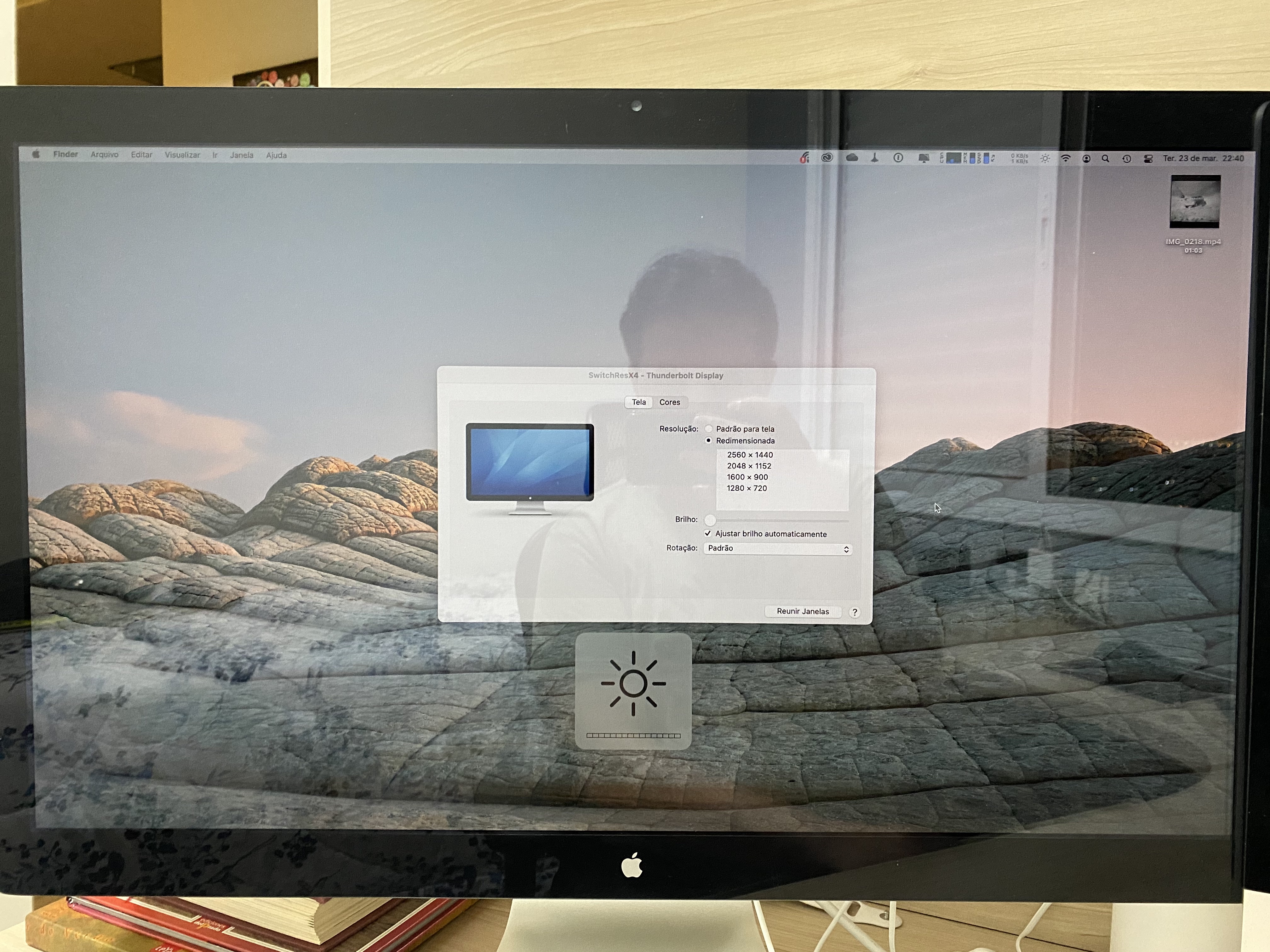
Additional context
The Thunderbolt Display Monitor is connected to an iMac 5k, with another DELL monitor, model P217Q.
Environment Information (please complete the following information):
@waydabber commented on GitHub (Aug 20, 2021):
Hi @ScarparoX
Apple Thunderbolt Display is not fully compliant with DDC commands but requires a different control method (DisplayServices). It is already implemented in MonitorControl but only for internal displays.
We plan to fix this problem. Future progress will be tracked in this issue, please feel free to comment there and follow developments. Your help might be needed when it comes the time for testing.
https://github.com/MonitorControl/MonitorControl/issues/364
Thank you!
@waydabber commented on GitHub (Sep 3, 2021):
For those with Apple displays, there is a link to a test build with proper support here: https://github.com/MonitorControl/MonitorControl/issues/539