mirror of
https://github.com/MonitorControl/MonitorControl.git
synced 2026-10-23 08:07:35 -06:00
[GH-ISSUE #405] LG 27MP89HM #324
Labels
No labels
Status: Abandoned
arm64
beta
beta
bug
done
duplicate
enhancement
feedback needed from reporter
in progress
information
invalid
investigating
known Issue
monitor Issue
pull-request
translation
unable to reproduce
unreleased
x86
No milestone
No project
No assignees
1 participant

Notifications
Due date
No due date set.
Dependencies
No dependencies set
Reference
github-starred/MonitorControl#324
Loading…
Reference in a new issue
No description provided.
Delete branch "%!s()"
Deleting a branch is permanent. Although the deleted branch may continue to exist for a short time before it actually gets removed, it CANNOT be undone in most cases. Continue?
Originally created by @ManuISEN on GitHub (Mar 13, 2021).
Original GitHub issue: https://github.com/MonitorControl/MonitorControl/issues/405
Originally assigned to: @waydabber on GitHub.
Hello,
I would like to thank you first for your amazing work.
Checklist
Describe the issue
I'm not able to change either volume nor brightness.
Expected behavior
As you can see on its specification page my monitor is capable of DDC (tried ddcctl as suggested on the wiki page but didn't work too).
Screenshots
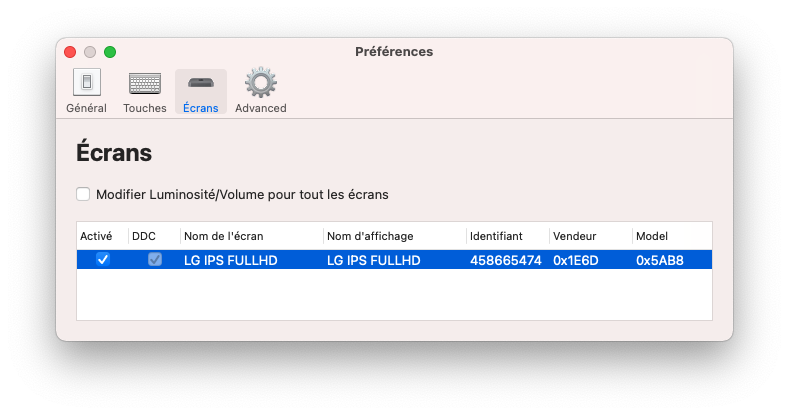
Environment Information:
@ManuISEN commented on GitHub (Jul 31, 2021):
up
@waydabber commented on GitHub (Aug 21, 2021):
Hi @ManuISEN - as I see you are using a 2018 Mac Mini via HDMI. Unfortunatelly 2018 Mac Minis and 2020 M1 Minis block DDC communication via HDMI. You'll need a cable that uses USB-C on these devices. Sorry to say, but there is no known workaround for that at the moment unfortunatelly, that's why ddctl does not work either. :(
I'll close this issue but let me know if I can be of any help! Thanks!
@ManuISEN commented on GitHub (Oct 15, 2021):
Hi @waydabber
Just a little feedback:
I used a USB-C to HDMI cable like this one
And it works like a charm :)
Thank you!
@waydabber commented on GitHub (Oct 15, 2021):
Great! :)