[GH-ISSUE #374] Does not work with M1 new mac Processor #296

Closed
opened 2026-05-05 05:42:48 -06:00 by gitea-mirror · 2 comments
Owner

Originally created by @REOS471 on GitHub (Jan 15, 2021).
Original GitHub issue: https://github.com/MonitorControl/MonitorControl/issues/374

Checklist

  • I have searched for existing issues
  • I have looked through the wiki
  • I have updated MonitorControl to the latest version

Describe the bug
A clear and concise description of what the bug is.
Worked perfectly on my 2018 Mac Mini using an Intel chip with Big Sur so it is not a Big Sur issue, on the New Mac Mini with apple's M1 chip it cannot find the exact same
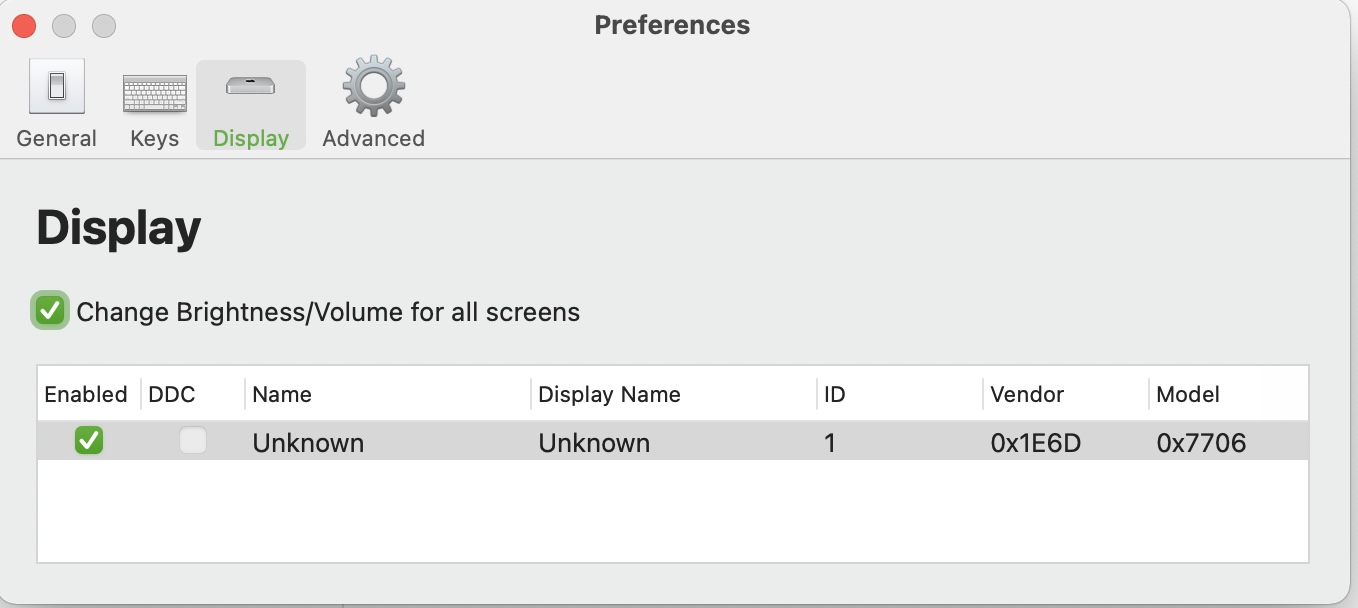
monitor that I used on the 2018 Mac Mini Intel w/Big Sur. Display shown in Big Sur System Preferences is correct but Monitor Control cannot find
anything so it is just blank under display

To Reproduce
Steps to reproduce the behavior:

  1. Go to '...'
  2. Click on '....'
  3. Scroll down to '....'
  4. See error

Expected behavior
A clear and concise description of what you expected to happen.
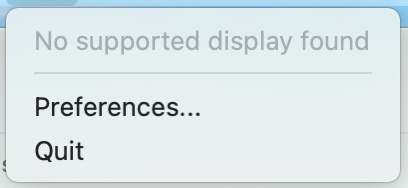
It says No Supported Display Found even though it found it right away on my 2018 Mac Mini with Intel Processor.
Expected to work the same as it did on my Big Sur 2018 Mac Mini Intel.

Screenshots
If applicable, add screenshots to help explain your problem.
No Supported display found
Screen Shot 2021-01-16 at 12 07 56 PM

Additional context
Add any other context about the problem here.

Environment Information (please complete the following information):

  • macOS version: Big Sur
  • MonitorControl version:Latest 2.1.0
  • Monitor(s): LG 27UL850-W
Originally created by @REOS471 on GitHub (Jan 15, 2021). Original GitHub issue: https://github.com/MonitorControl/MonitorControl/issues/374 **Checklist** <!-- Before you submit your issue, please make sure to check the following boxes by putting an x in the [ ] (don't: [x ], [ x], do: [x]) --> - [x] I have searched for existing issues - [x] I have looked through [the wiki](https://github.com/MonitorControl/MonitorControl/wiki) - [x] I have updated MonitorControl to the latest version **Describe the bug** A clear and concise description of what the bug is. Worked perfectly on my 2018 Mac Mini using an Intel chip with Big Sur so it is not a Big Sur issue, on the New Mac Mini with apple's M1 chip it cannot find the exact same monitor that I used on the 2018 Mac Mini Intel w/Big Sur. Display shown in Big Sur System Preferences is correct but Monitor Control cannot find anything so it is just blank under display **To Reproduce** Steps to reproduce the behavior: 1. Go to '...' 2. Click on '....' 3. Scroll down to '....' 4. See error **Expected behavior** A clear and concise description of what you expected to happen. It says No Supported Display Found even though it found it right away on my 2018 Mac Mini with Intel Processor. Expected to work the same as it did on my Big Sur 2018 Mac Mini Intel. **Screenshots** If applicable, add screenshots to help explain your problem. ![No Supported display found](https://user-images.githubusercontent.com/39271169/104762451-9d540a80-5721-11eb-87c7-9a6301729ed0.jpg) ![Screen Shot 2021-01-16 at 12 07 56 PM](https://user-images.githubusercontent.com/39271169/104820644-91d11400-57f3-11eb-87d7-2029258c090b.jpg) **Additional context** Add any other context about the problem here. **Environment Information (please complete the following information):** - macOS version: Big Sur - MonitorControl version:Latest 2.1.0 - Monitor(s): LG 27UL850-W
gitea-mirror 2026-05-05 05:42:48 -06:00
  • closed this issue
  • added the
    bug
    label
Author
Owner

@lorda commented on GitHub (Jan 16, 2021):

I have exactly the same problem. MonitorControl worked great with my 2020 Intel Macbook Pro.

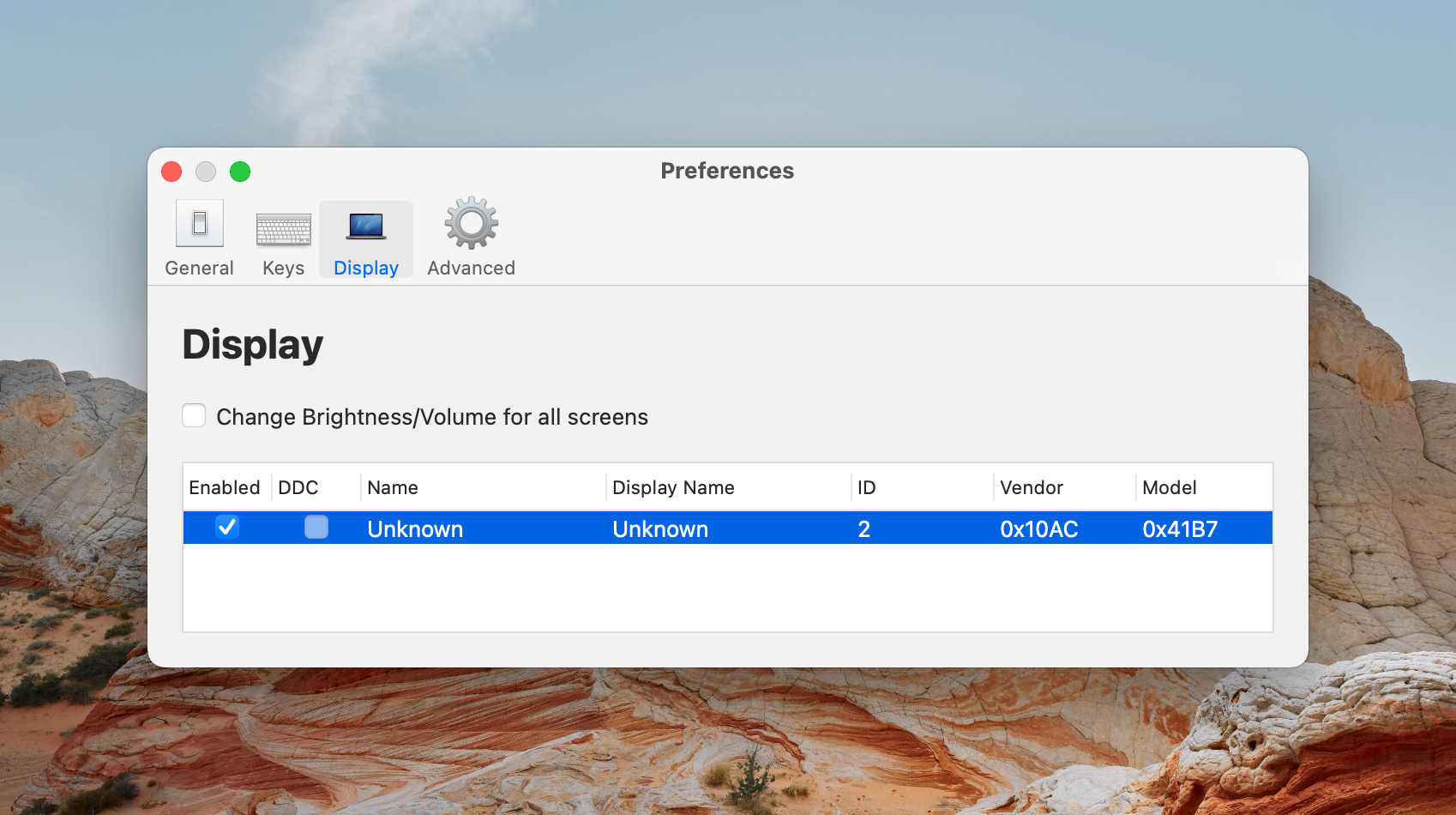
Now that I have the 2020 M1 Macbook Pro my monitor is not detected.

However, in the settings I can see this:
CleanShot 2021-01-16 at 13 55 45@2x

<!-- gh-comment-id:761615756 --> @lorda commented on GitHub (Jan 16, 2021): I have exactly the same problem. MonitorControl worked great with my 2020 Intel Macbook Pro. Now that I have the 2020 M1 Macbook Pro my monitor is not detected. However, in the settings I can see this: ![CleanShot 2021-01-16 at 13 55 45@2x](https://user-images.githubusercontent.com/2292327/104820428-8fc28180-5802-11eb-9d22-34754b659aef.png)
Author
Owner

@JoniVR commented on GitHub (Jan 16, 2021):

dupe #323

<!-- gh-comment-id:761616025 --> @JoniVR commented on GitHub (Jan 16, 2021): dupe #323
Sign in to join this conversation.
No milestone
No project
No assignees
1 participant
Notifications
Due date
The due date is invalid or out of range. Please use the format "yyyy-mm-dd".

No due date set.

Dependencies

No dependencies set.

Reference: github-starred/MonitorControl#296
No description provided.